
Re-run Setup Wizard
Re-run the Setup Wizard to reconfigure plugin settings, create required pages, and update your initial User Registration & Membership configuration.
Last updated on Oct 14, 2026
Overview
The Setup Wizard helps you configure the basic settings of the User Registration & Membership plugin right after installation, such as creating the required pages and choosing your default settings. If you skipped the wizard the first time, closed it before finishing, or simply want to review and update your initial configuration, you can re-run it at any time. Once you complete the wizard again, your registration, login, and account pages will be set up correctly, and your plugin settings will be up to date.
Access Path
User Registration & Membership → Settings → Tools → Setup Wizard
Step-by-Step Instructions
Log in to your WordPress admin dashboard.
Go to User Registration & Membership → Settings, then click Tools in the settings list.
Under Tools you'll see three sections: Logs, System Info, and Setup Wizard.
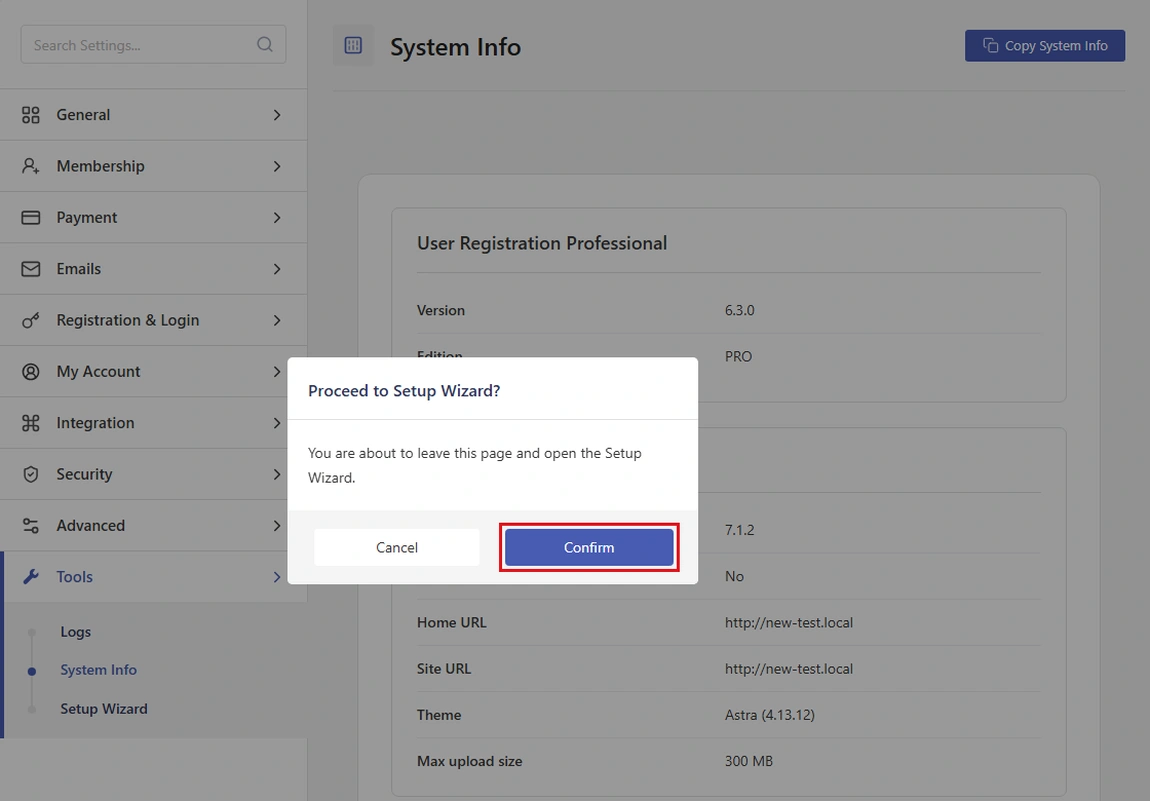
Click Setup Wizard. A message asks Proceed to Setup Wizard? Click Confirm to open it.
On the first step, answer Do you want to offer membership plans on your site? with Yes or Not now, then follow the steps. See the Setup Wizard walkthrough for every screen.
When you finish, your settings are saved and ready to use.
Tools Page Overview
Section | Description |
|---|---|
Logs | Lists the plugin's log files. You can search, filter, view, and delete them, and turn logging on or off. |
System Info | Shows details about your site's server and environment, often needed when you contact support. |
Setup Wizard | Lets you re-run the initial onboarding to reconfigure your plugin settings. |
Re-running the Setup Wizard doesn't delete your forms, pages, or users, and it reuses the pages you already have.
Opening the Setup Wizard resets a few settings, even if you change nothing. It turns on WordPress's Anyone can register setting, turns off Disable Default WordPress Login Screen, sets Redirect Default WordPress Login URL to your Login page, and puts the Global Restriction Message back to its default text. If you choose Yes, it also adds a Membership field to your default registration form. If you choose Not now, the approval option and default role you pick replace your current ones. Review these settings after you finish.
Closing Section
That's it! After you finish the wizard again, your User Registration & Membership plugin has all the essential pages and settings in place. You can come back any time from Settings → Tools → Setup Wizard.