
Create a Separate View Profile Detail Page (Pro)
Display user registration details in read-only format with a dedicated profile view page using the [user_registration_view_profile_details] shortcode.
Last updated on Jul 14, 2026
The View Profile Details page allows logged-in users to see their registration information in a read-only format. This is different from the Edit Profile page—users can view their details but cannot make changes directly from this page.
Create the View Profile Page
Step 1: Create a New Page
Navigate to Pages → Add New in your WordPress dashboard and give your page a title (for example, 'User Profile' or 'My Profile').
Step 2: Add the Shortcode
Add the following shortcode to your page content:
[user_registration_view_profile_details]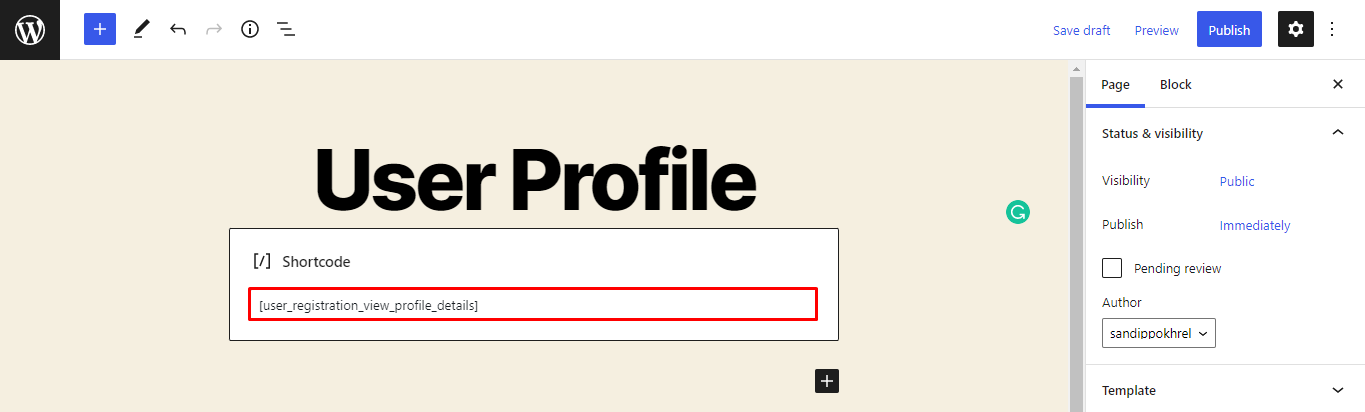
Step 3: Publish the Page
Click the Publish button to make the page live on your site.
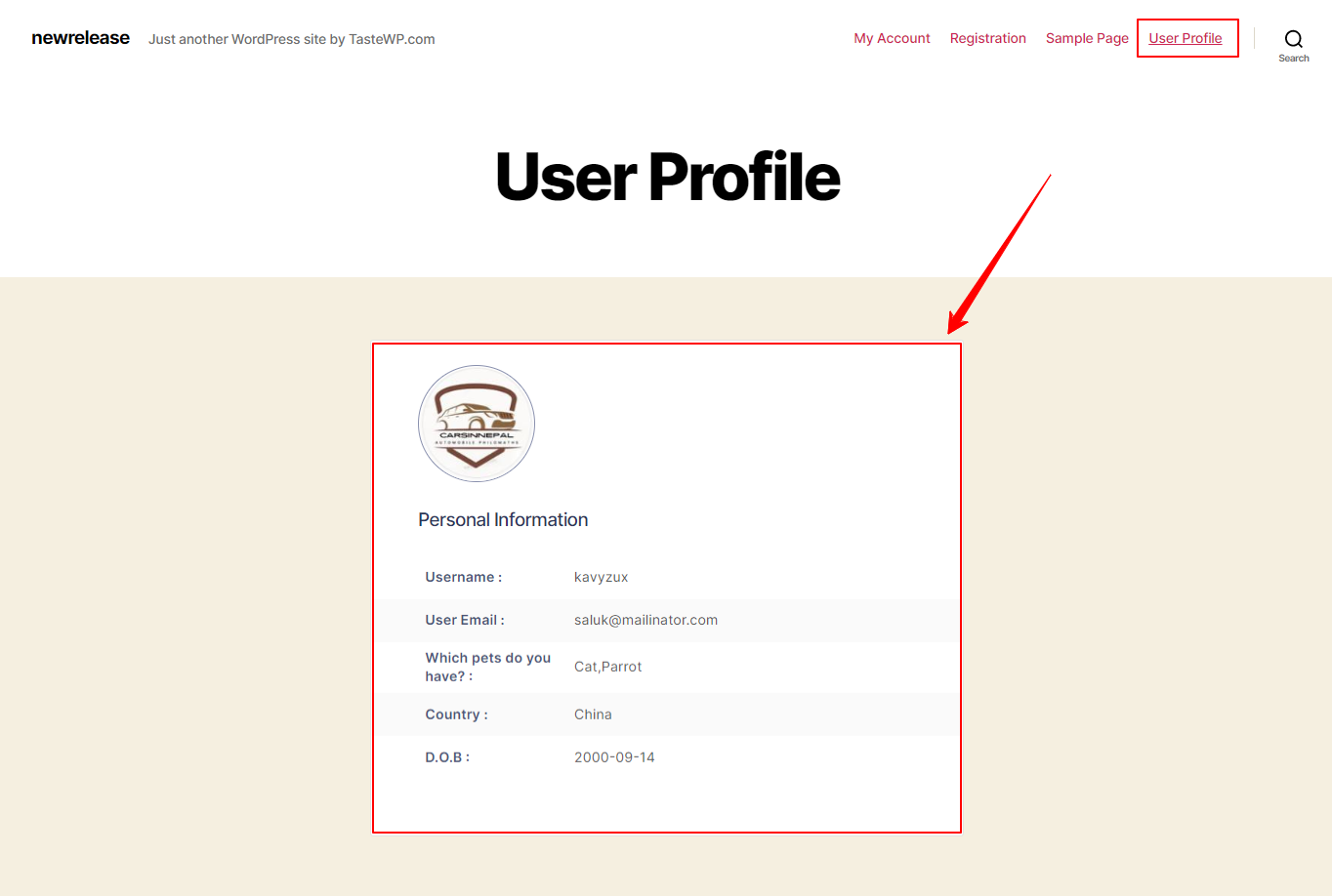
How It Works
When logged-in users visit this page, they will see all the profile details they filled in during registration. The information is displayed in read-only format—users can view their data but cannot edit it from this page.
Important Notes
This is a Pro/Premium feature only—it will not work with the free version
The page is view-only and cannot be used for editing profile details
Users must be logged in to see their profile information
Users can only see their own profile details, not other users' information
Next Steps
If you want users to be able to edit their profile information, create a separate page using the Edit Profile shortcode or direct them to the My Account page where they can manage their profile.