
Importing and Exporting Forms
Learn how to transfer User Registration forms between WordPress sites or create backups by exporting forms as JSON files and importing them elsewhere.
Last updated on Jul 17, 2026
Would you like to move registration forms between WordPress sites or create backups of your forms? User Registration & Membership allows you to export forms as JSON files and import them on any site running the plugin. This guide will show you how to export and import forms individually or in bulk.
Before getting started, make sure you've installed and activated the User Registration & Membership plugin on both the source site (where you're exporting from) and the destination site (where you're importing to).
Exporting Forms
To export one or more registration forms from your WordPress site, go to User Registration & Membership → Settings → Advanced → Import/Export Forms.
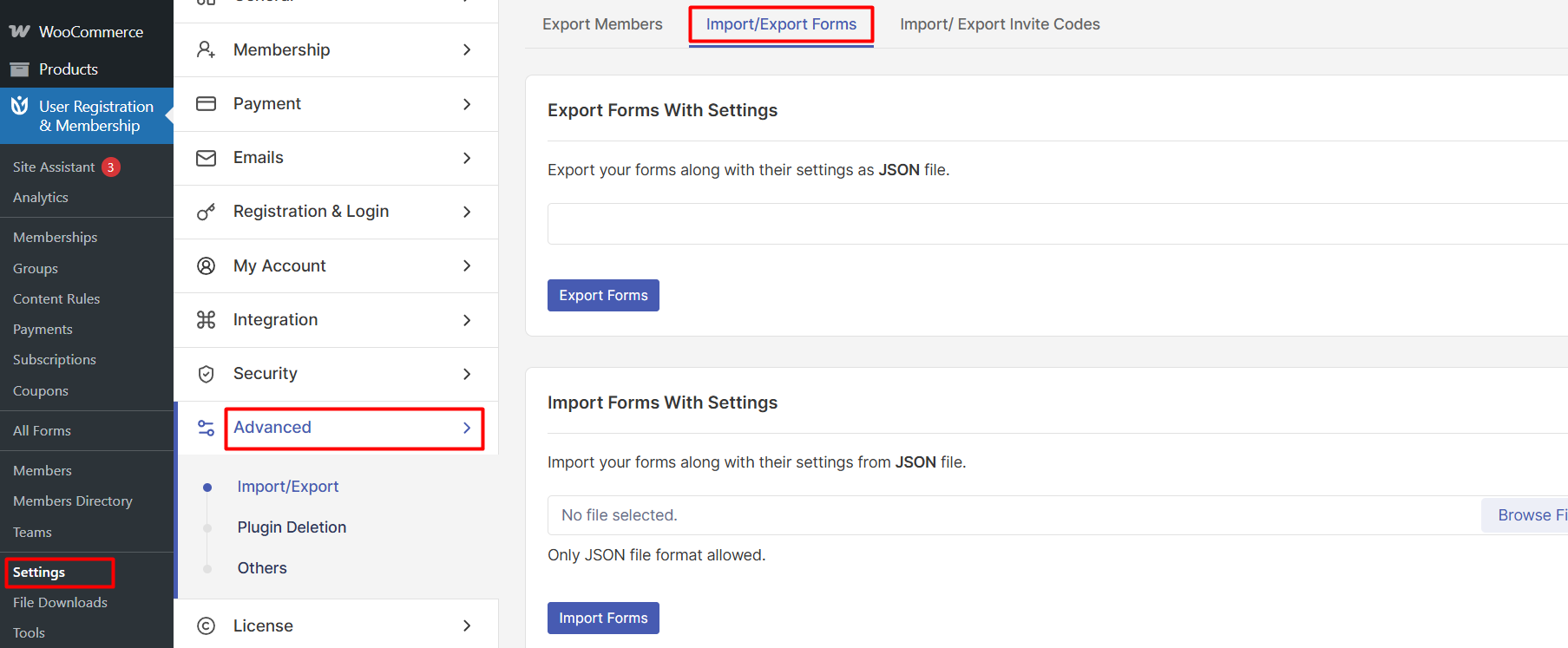
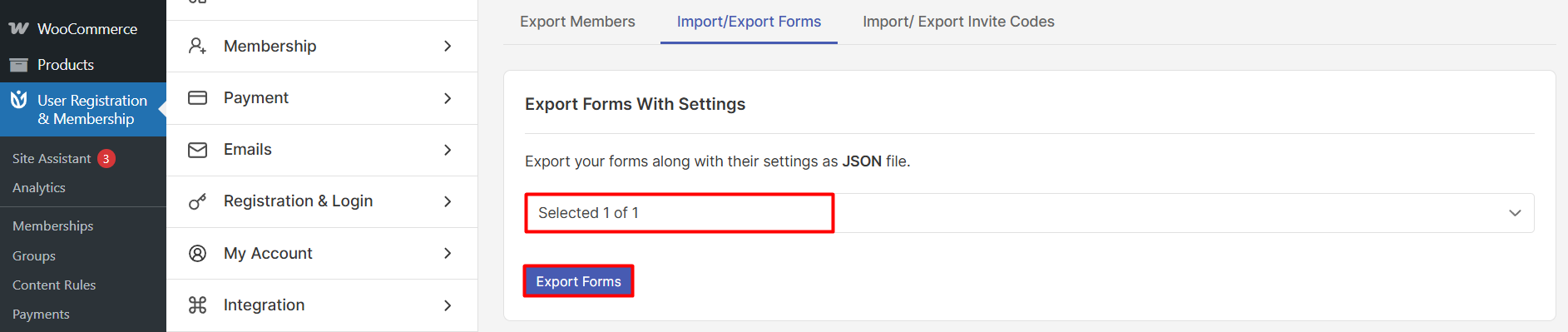
Here, you'll see the export interface with a dropdown menu listing all your registration forms. You can select a single form or multiple forms to export at once.
Once you've selected the forms you want to export, click the Export Forms button. Your browser will download a JSON file containing all the selected forms and their configurations.
Importing Forms
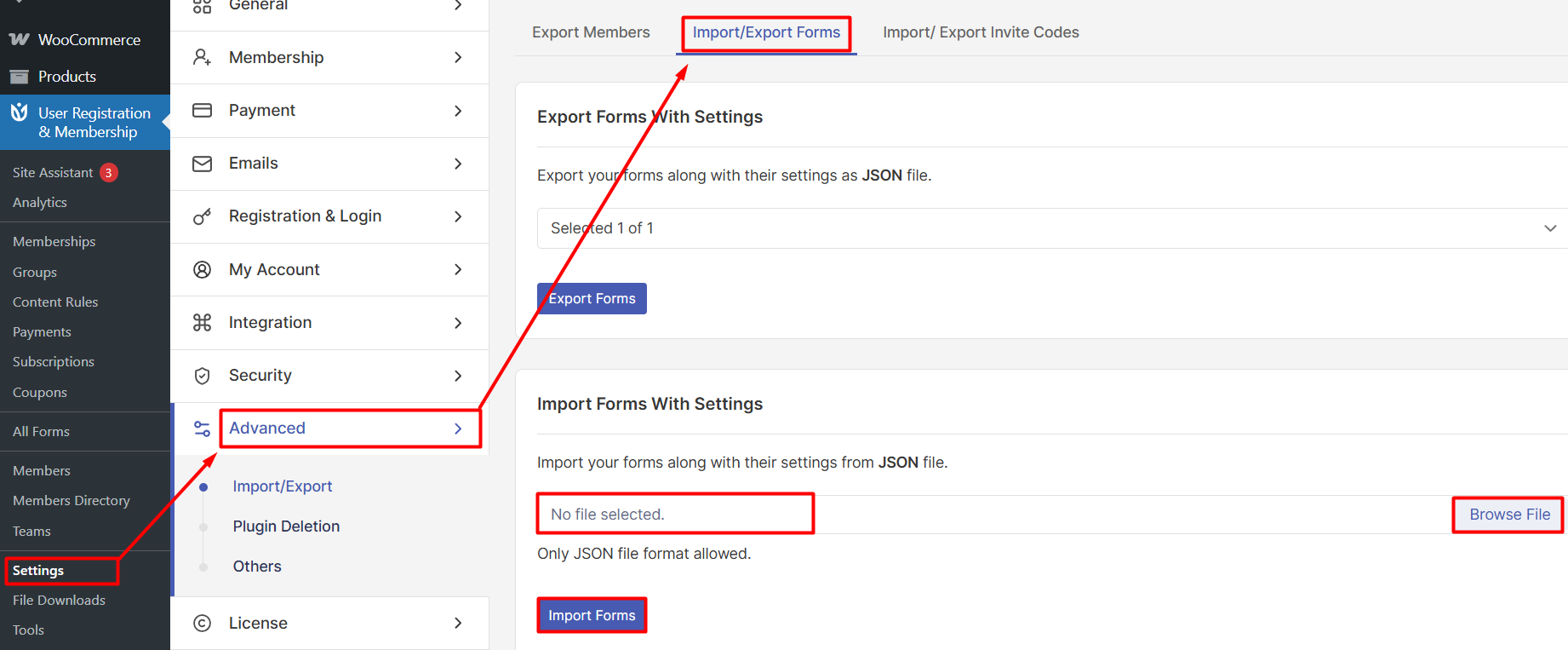
To import forms on your destination site, navigate to User Registration & Membership → Settings → Advanced → Import/Export Forms.
In the import section, you have two options for uploading your JSON file. You can either click to select the file from your computer, or drag and drop the JSON file directly into the upload area.
After selecting or dropping your file, click the Import Forms button to complete the import process. The forms will be added to your site with all their original settings and field configurations.
Understanding the JSON File Format
Forms are exported in JSON file format, which is a standard data format that preserves all form settings, fields, and configurations. A single JSON file can contain one form or multiple forms, making it easy to transfer entire form collections between sites.
The JSON format ensures that all form elements are preserved during export and import, including field types, labels, validation rules, and advanced settings.
Common Use Cases
Form import and export is useful for several scenarios. You can create backups of your registration forms before making major changes, migrate forms when moving to a new WordPress site, share form templates with clients or team members, or duplicate forms across multiple sites in a network.
That's it! Now you know how to export and import registration forms in User Registration & Membership. Next, would you like to learn about customizing form fields or managing user registrations? Be sure to check out our guide on creating custom registration forms for more details.