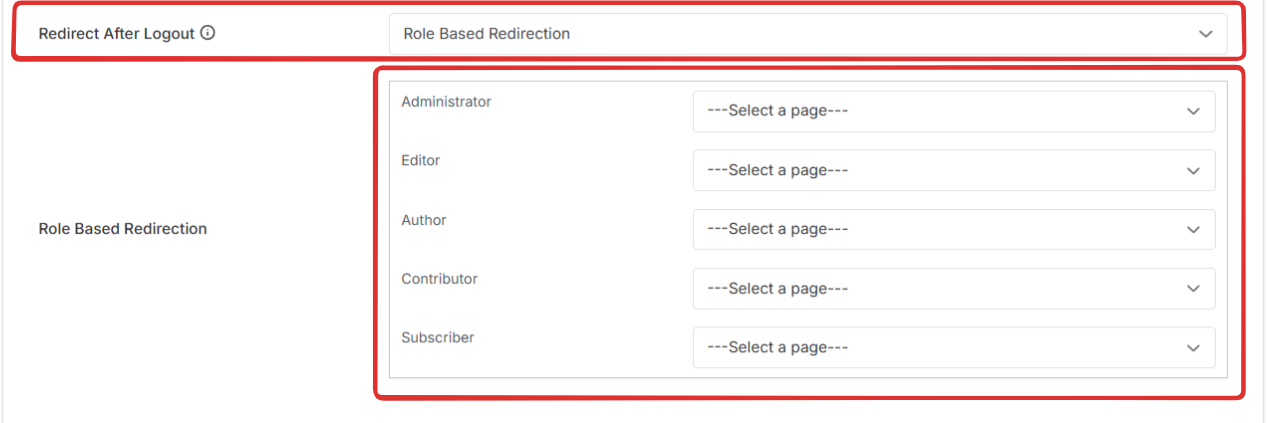
Redirect Users Based on Their User Roles
ProConfigure automatic redirects for users after login, registration, or logout based on their WordPress role, sending different user types to role-appropriate pages.
Last updated on Jul 17, 2026
Role-based redirection allows you to send users to different pages after they log in, register, or log out based on their assigned WordPress user role. This is useful when you want administrators to go to the dashboard, subscribers to see their account page, and other roles to land on specific pages relevant to their permissions.
What You'll Need
User Registration & Membership Pro plugin installed and activated
User roles defined in WordPress (Subscriber, Contributor, Author, Editor, Administrator, or custom roles)
Destination pages created for each role's redirect
Understanding Role-Based Redirection
Role-based redirection works differently depending on the event:
Registration redirects: Configured individually per registration form
Login redirects: Configured globally and apply across all login forms
Logout redirects: Configured globally and apply across all logout actions
Individual Registration Form Specific
This feature allows users to be redirected to a specific page based on their roles. Users can be redirected after registration.
To enable this, go to User Registration and Membership> All Forms > Registration Forms.
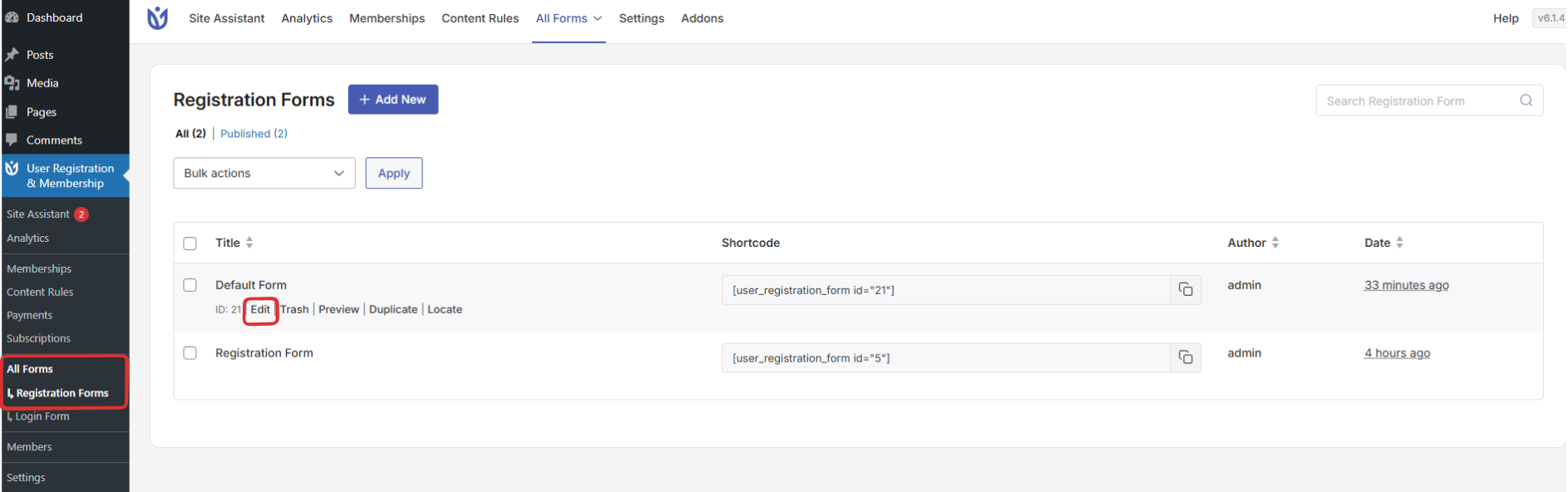
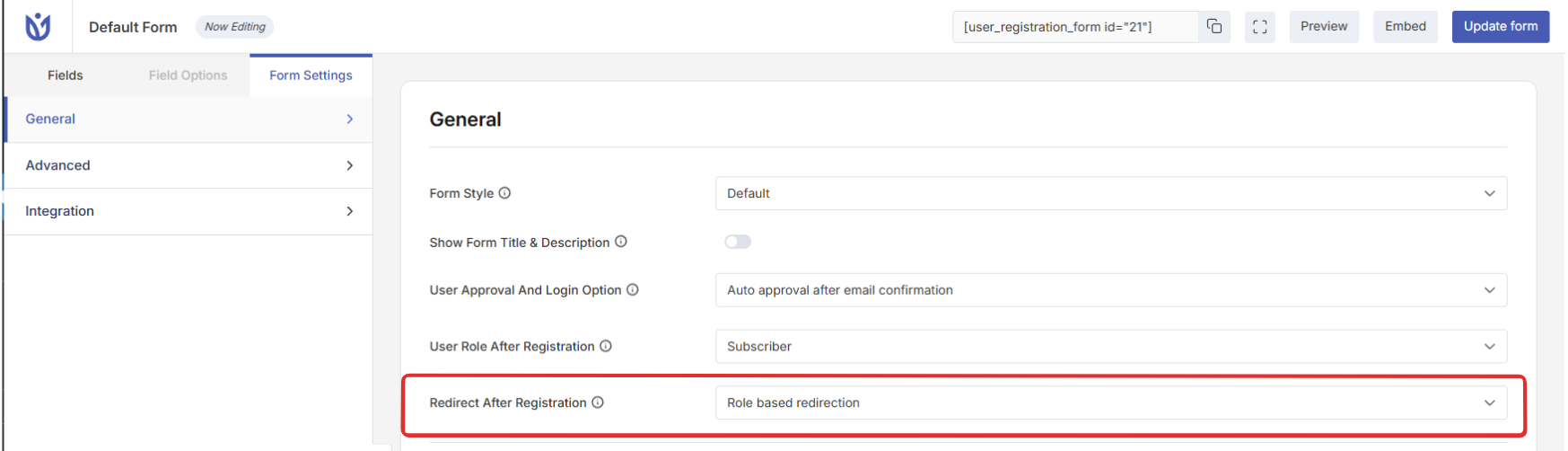
Select a Form to Edit > Form Settings > General. You will find an option that says ‘Redirect after registration’. Now, select ‘Role Based Redirection’.
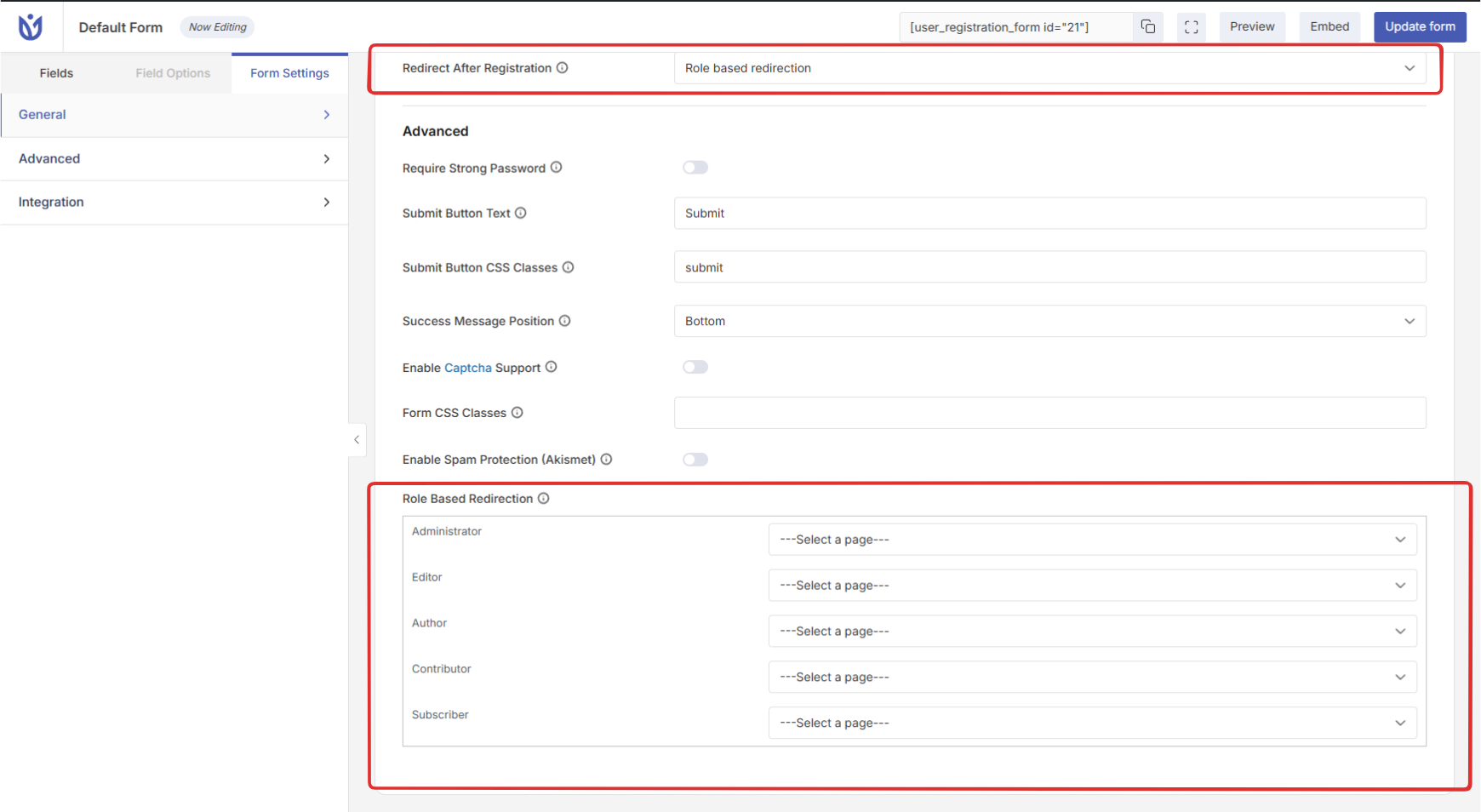
After selecting 'Role Based Redirection'. In advanced section inside General setting You can manually choose the redirection page for different roles.
Redirection after LOGIN & LOGOUT
You can use this feature to redirect the users based on their roles after they login/logout. You can configure the Redirection Type from the Settings button given for each redirection.
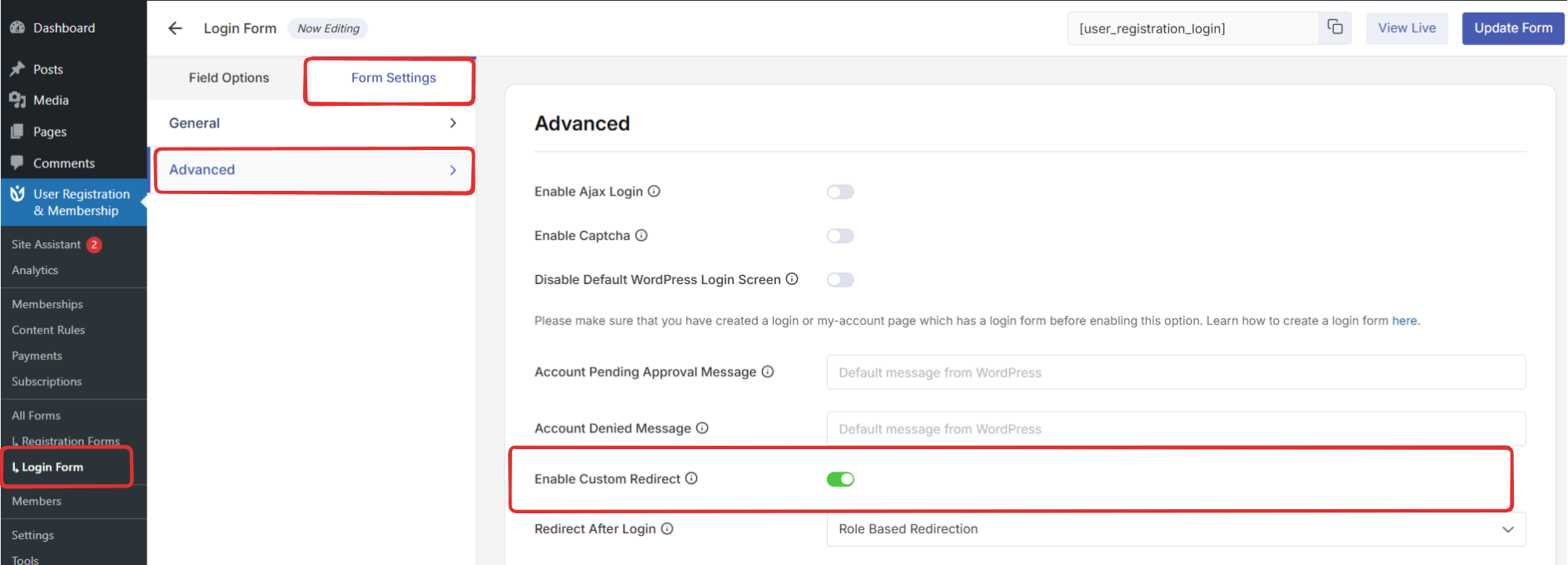
Redirection After Login
After enabling the Custom Redirect you can choose redirection pages for different roles after Login.
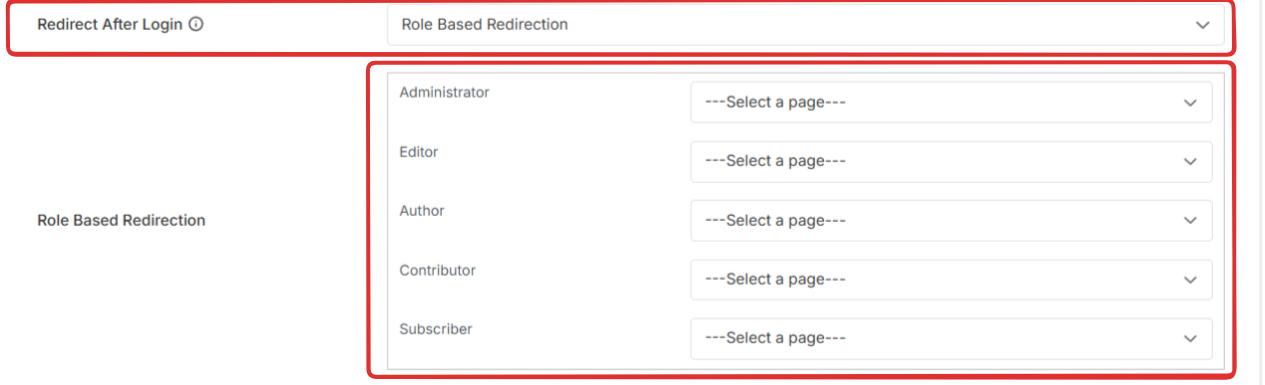
Redirection After Logout
After enabling the Custom Redirect you can choose redirection pages for different roles after Logout.