
Show the WordPress Login and Registration Form Together on the Website
Learn how to display login and registration forms together on a single page using the User Registration & Membership plugin's shortcode feature.
Last updated on Jul 14, 2026
Do you want to show both your login and registration forms on the same page? User Registration & Membership allows you to display these forms side-by-side on any page of your website, creating a seamless experience for both new and returning visitors. This guide will show you how to set this up in just a few steps.
Before getting started, make sure you've installed and activated the User Registration & Membership plugin on your WordPress site.
Creating the Page
To display both forms together, you'll need a page where visitors can access them.
From your WordPress dashboard, go to Pages > Add New to create a new page. Give your page a clear title like "Login & Register" or "My Account" — something that tells visitors what they'll find there.
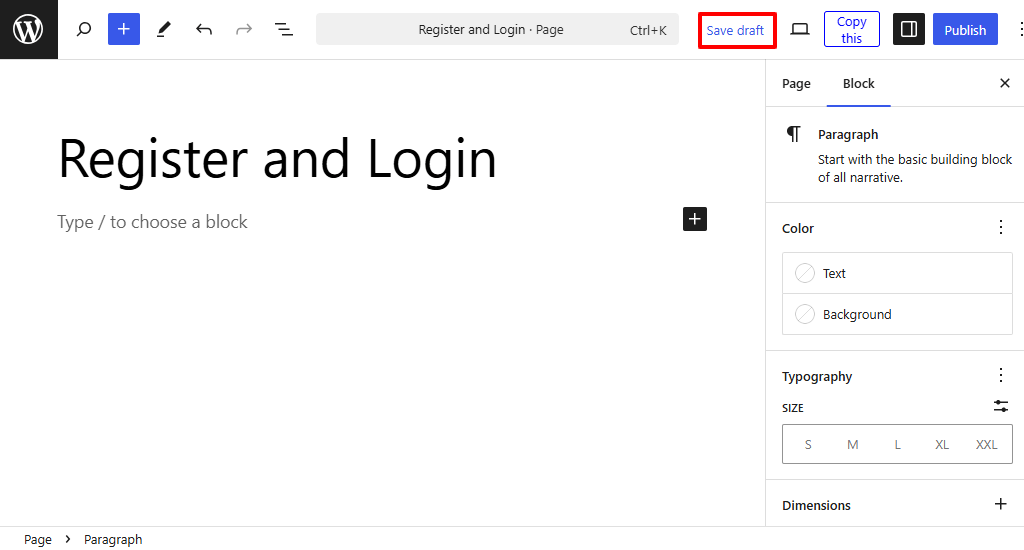
Adding the Forms to Your Page
User Registration & Membership provides a special shortcode that displays both the login and registration forms together automatically.
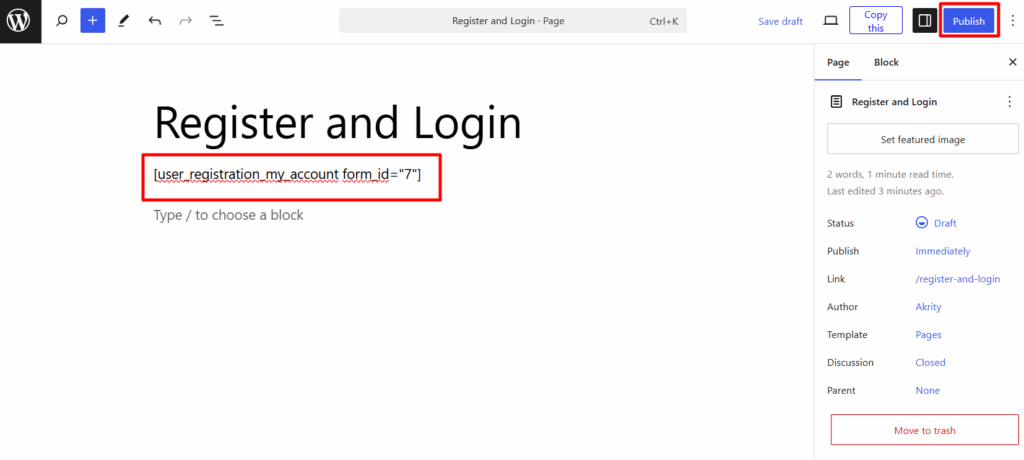
In your page editor, add the following shortcode:
[user_registration_my_account]If you want to display a specific registration form alongside the login form, you can include the form ID:
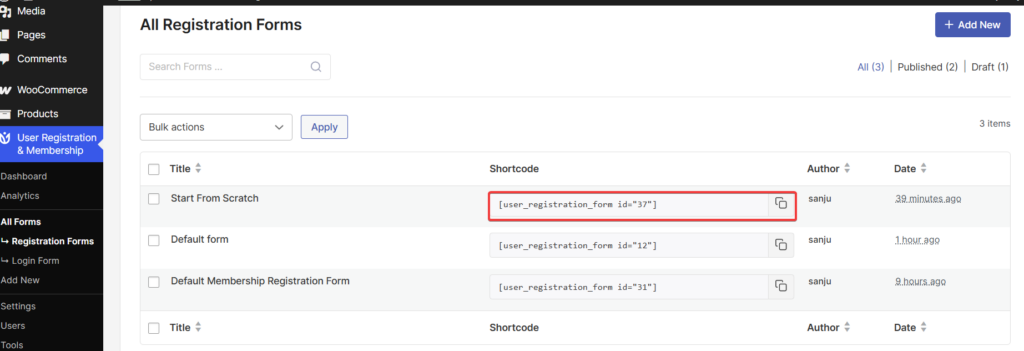
[user_registration_my_account form_id="123"]To find your registration form ID, go to User Registration & Membership > All Forms > Registration Forms and note the ID number next to your form.
Once you've added the shortcode, click Publish to make your page live.
What Visitors Will See
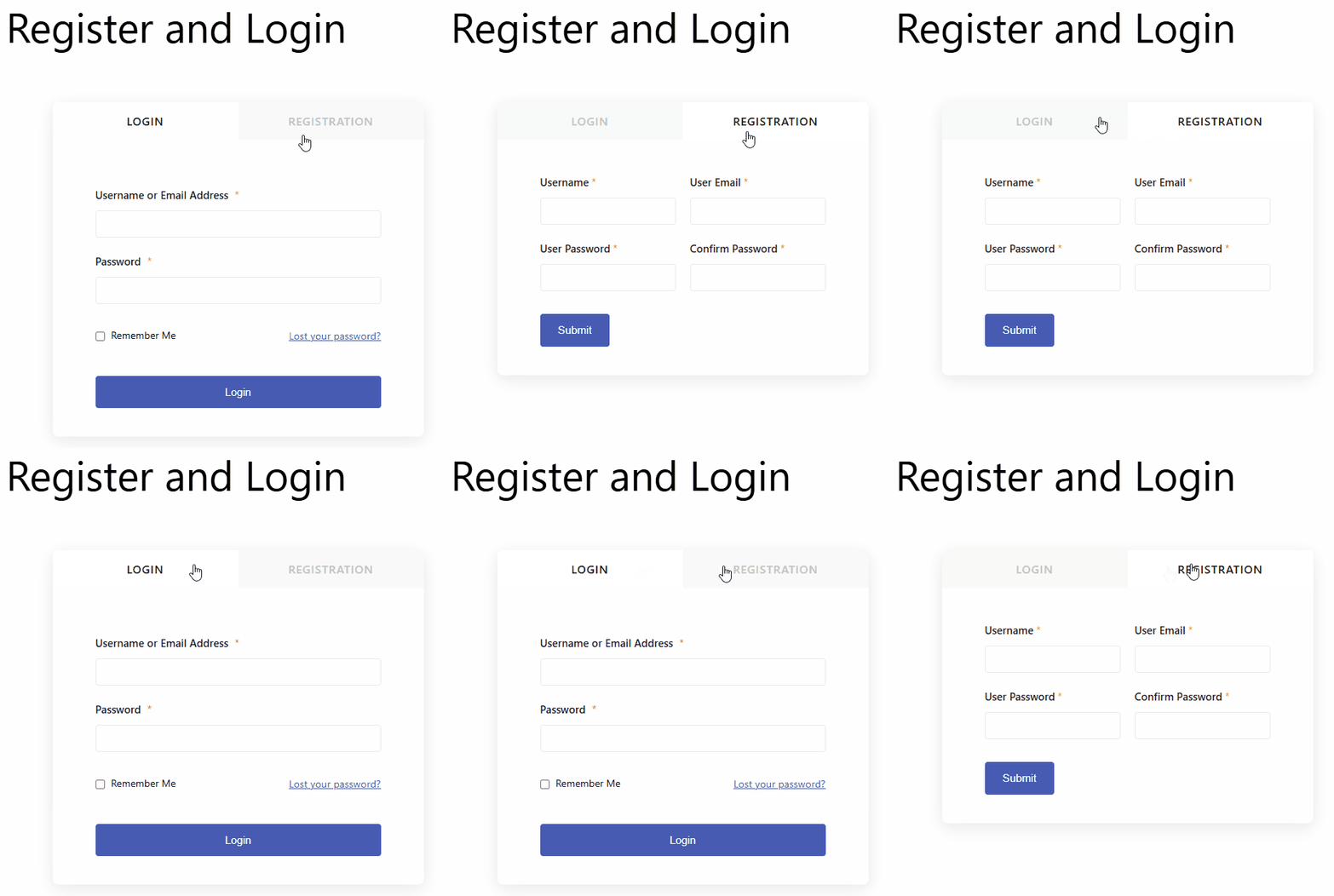
When visitors land on your page, they'll see:
New users: A registration form where they can create an account
Returning users: A login form where they can sign in
Both forms displayed side-by-side for easy access
The forms are automatically created when you activate the User Registration & Membership plugin, so you don't need to build them from scratch.