Displaying the Registration Form
Learn how to add user registration and login forms to your WordPress site using dedicated Gutenberg blocks from the User Registration & Membership plugin.
Last updated on Jul 14, 2026
The User Registration & Membership plugin provides dedicated Gutenberg blocks to easily add login and registration forms to your WordPress pages and posts. This guide covers the entire process of adding Login and Registration forms to your website.
Prerequisites:
.
The plugin provides two dedicated blocks:
Registration Form: Displays a registration form for user registration functionality.
Login Form: Displays a login form for user login functionality.
Adding Registration Form Via User Registration & Membership Block
Follow these steps to integrate a registration form seamlessly:
Step 1: Access the Block Editor
To embed a registration form using the User Registration & Membership Block, access your WordPress dashboard:
Navigate to Dashboard > Pages or Dashboard > Posts.
Select an existing page/post or create a new one.
Ensure you’re using the Gutenberg (Block) editor.
Step 2: Insert Registration Block
On the top left side or your block editor, you will find a ‘+’ button, click on it to add available blocks.
Scroll down to ‘User Registration’ and search for the Registration Form block.
Select the block and it will appear on your page editor interface.
Step 3: Select A Registration Form
Once the block is added, you will see the options to add a registration form to your page.
Click on the dropdown menu to choose a registration form. Below is the visual representation of what is shown in the block.
You can see all the available registration forms that you can insert to your page or post. So, select the desired once.
Step 4: Configure Registration Form Block
As you select the form, on the right panel you’ll see option to preview the form. You can preview the form in two user state: Logged Out and Logged in.
That’s how the form will appear at the user’s end.
Adding Registration Form Via Shortcode
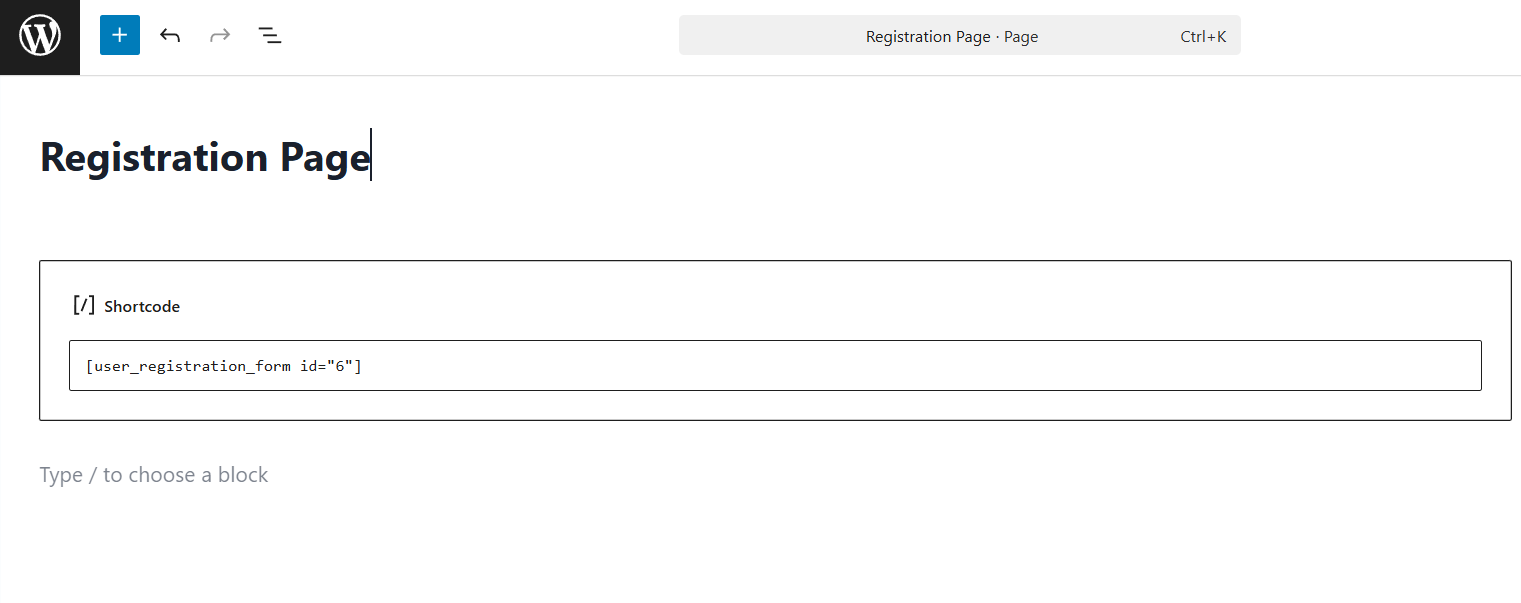
To use the shortcode method, copy the shortcode displayed at the top of the form builder or on the forms page in User Registration & Membership > Registration Form. It will look like this: [user_registration_form id="123"].
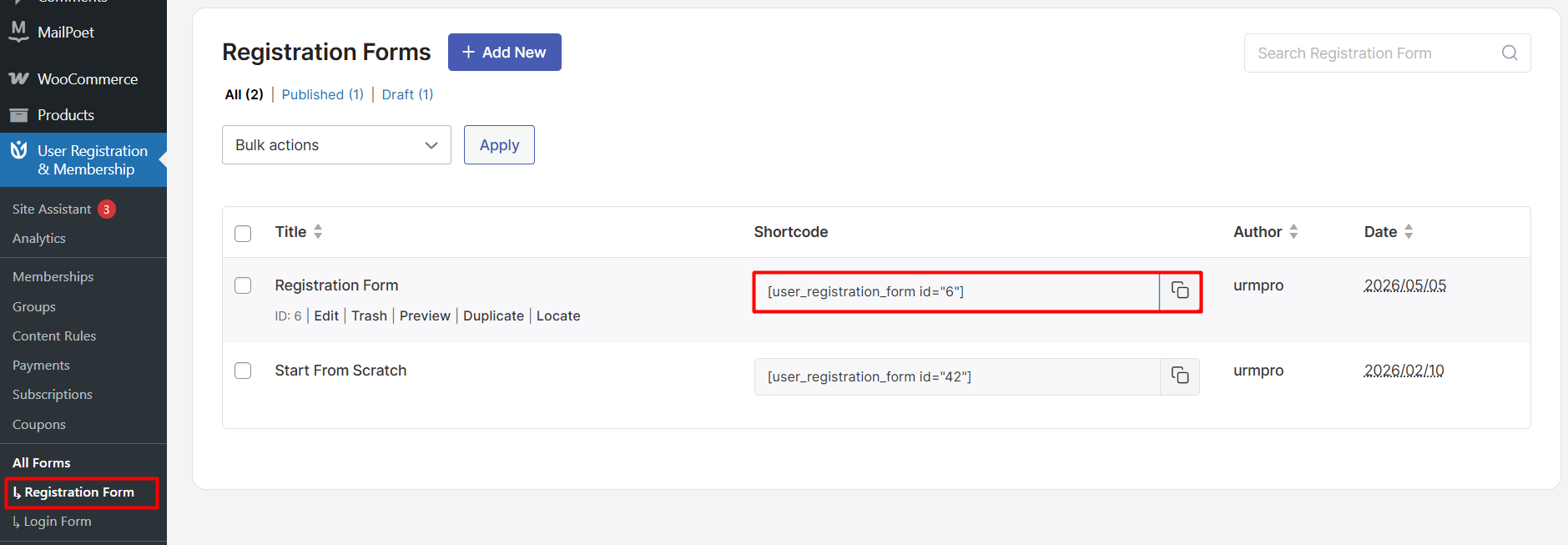
Paste this shortcode into any page or post using a Shortcode block.