
Add a Registration Link in login form
Learn how to add a customizable registration link to your WordPress login form, allowing visitors to easily create new accounts from the login page.
Last updated on Jul 14, 2026
Would you like to help visitors create new accounts directly from your login page? User Registration & Membership allows you to add a customizable registration link to your login form, making it easy for new users to sign up. This tutorial will show you how to configure the registration link and customize its appearance.
Before getting started, make sure you've installed and activated the User Registration & Membership plugin on your WordPress site. You'll also need a registration page already created with your registration form.
Accessing the Login Form Builder
To add a registration link to your login form, go to User Registration & Membership → All Forms → Login Form. This will open the Login Form builder where you can customize all aspects of your login form.
Configuring the Registration Link
In the Login Form builder, click on the 'Not a member yet? Register now?' field. This will open the field options where you can configure the registration link settings.
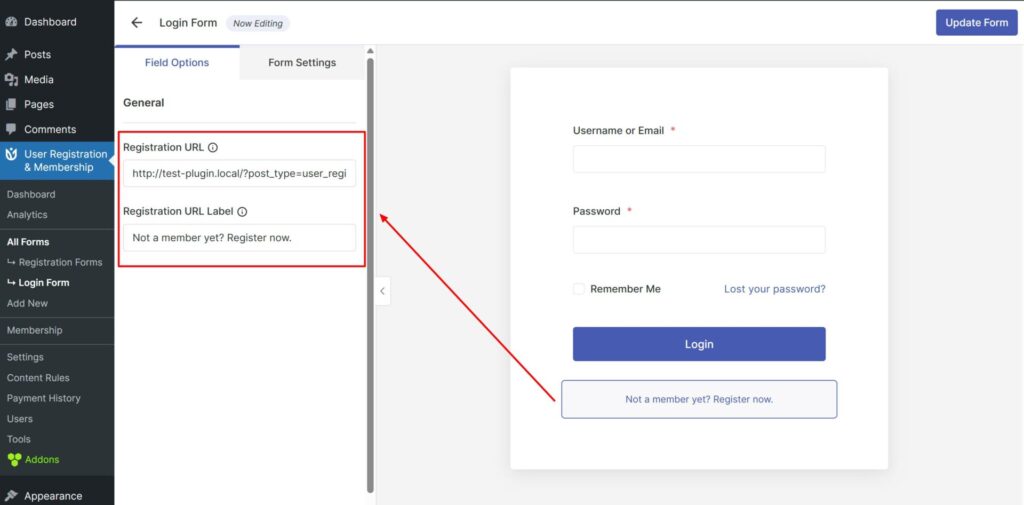
Here, you'll see two important settings:
Registration URL: Enter the slug of your registration page (not the full URL, just the page slug)
Registration URL label: Enter the text you want visitors to see for the registration link
For example, if your registration page URL is yoursite.com/register, you would enter 'register' in the Registration URL field. For the label, you might use text like 'Register now?' or 'Create an account'.
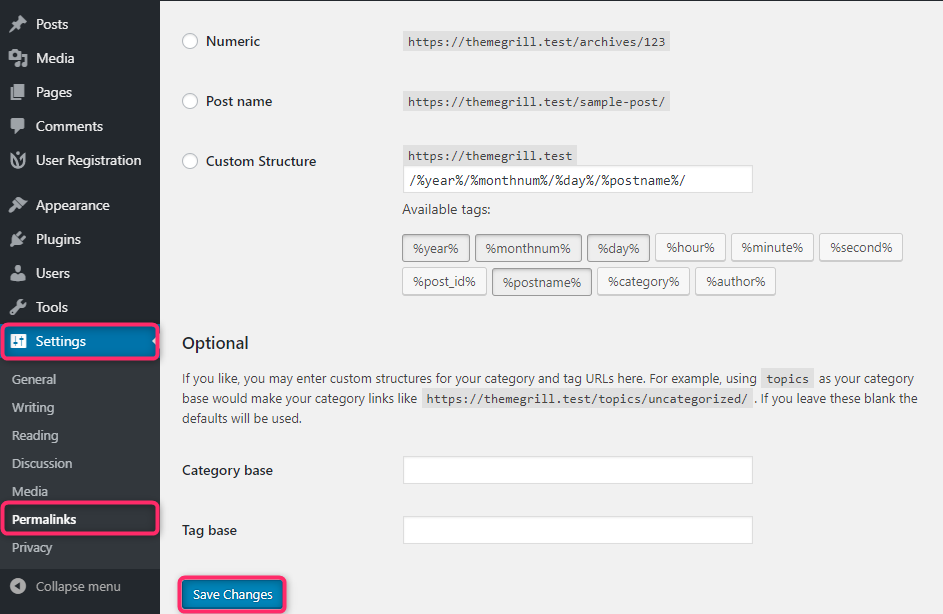
Refreshing Your Permalinks
After configuring the registration link, you need to refresh your WordPress permalinks for the link to work properly. Go to WordPress Settings → Permalinks and click Save Changes without making any modifications. This step is required to ensure the registration link functions correctly.
Saving Your Changes
Once you've configured the registration link and refreshed your permalinks, click the Update Form button in the Login Form builder to save your changes. Your login form will now display the registration link with your custom text.
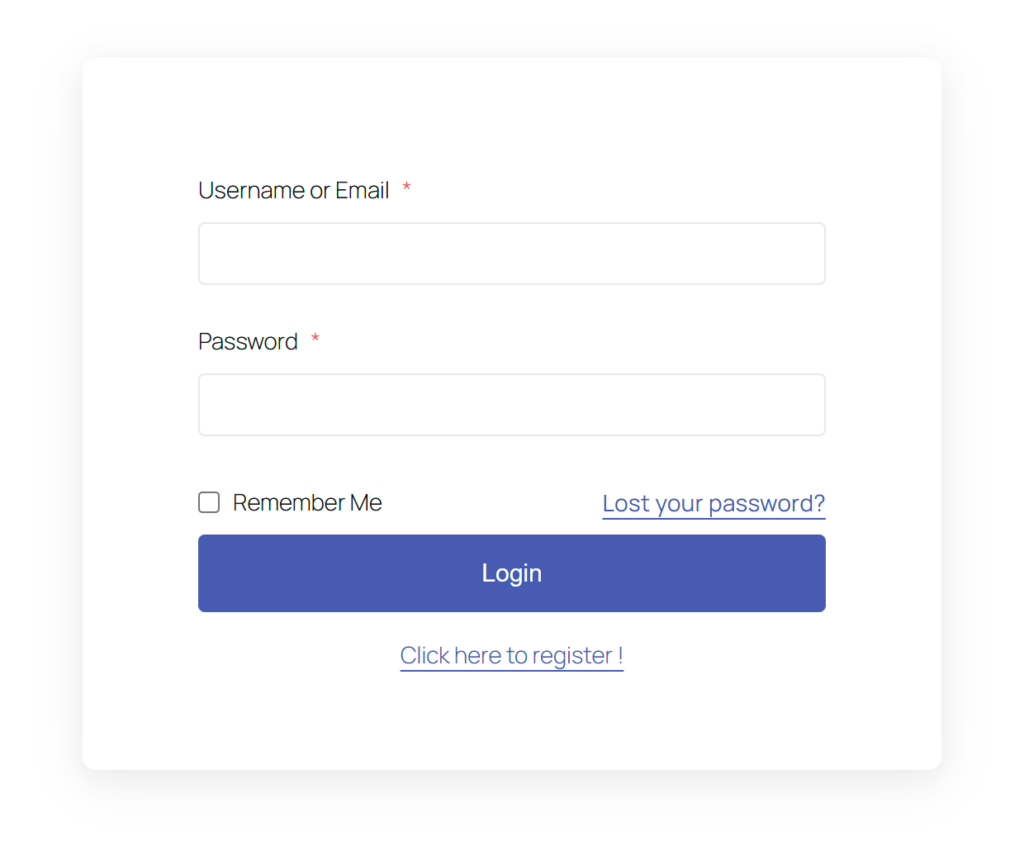
That's it! Now you know how to add a registration link to your login form. Next, would you like to customize other aspects of your login form? Be sure to check out our guide on configuring login form settings for all the details.