
AI Abilities
Let AI assistants connected to WordPress read your registration forms, members, membership plans, subscriptions and payments.
Last updated on Nov 18, 2026
AI Abilities let an AI assistant connected to your WordPress site answer questions about your registration forms, members, membership plans, subscriptions and payments. For example, you can ask "Who is waiting for approval?" or "Whose membership expires this month?" and get an answer from your real site data.
Every ability only reads data. An AI assistant cannot change, approve, delete or charge anything through them.
Requirements
WordPress 6.9 or later. Abilities are a WordPress feature, so older versions don't show them.
An AI assistant connected to your site. The easiest way is the official WordPress MCP Adapter plugin, which makes the abilities available to assistants such as Claude, ChatGPT or Cursor.
An administrator account. Only users who can manage User Registration & Membership can use the abilities, and member, subscription and payment abilities also need permission to list users.
Turn AI Abilities On or Off
Go to User Registration & Membership → Settings → Advanced → Others.
Use the Enable AI Abilities toggle.
Click Save Changes.
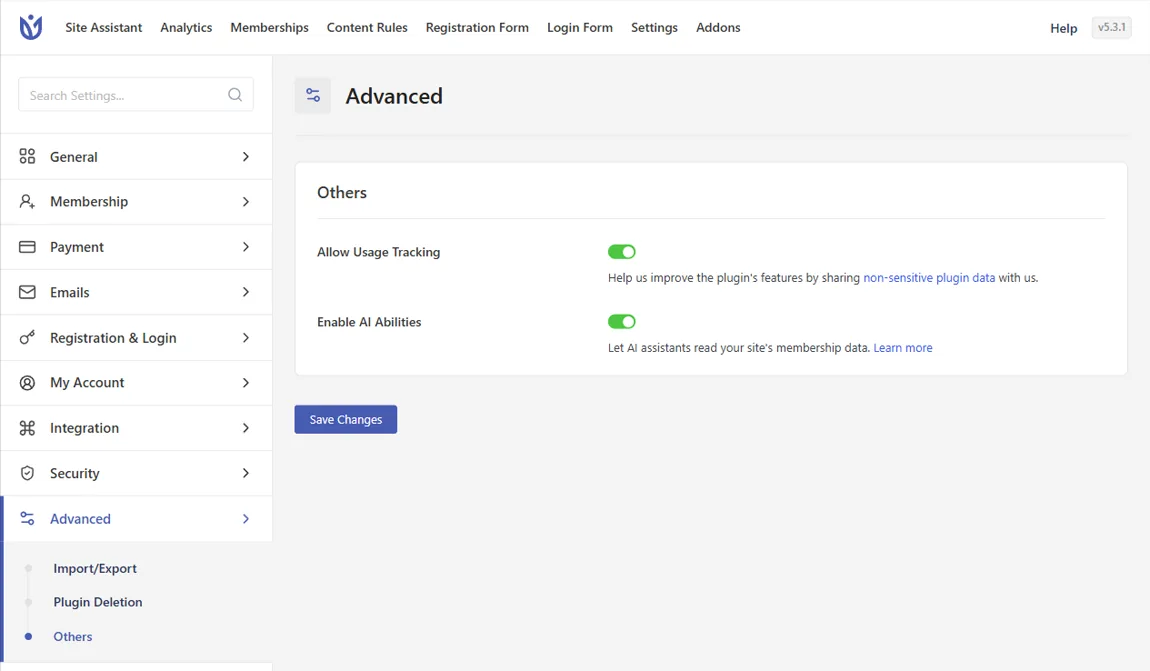
The setting is off on new sites. If you updated from an earlier version, it is turned on for you, because earlier versions already shared form and member data with AI assistants. A choice you already saved is kept. When the setting is off, none of the User Registration & Membership abilities are available to AI assistants.
Available Abilities
Lists return 20 results at a time by default and up to 100 per request. The AI assistant asks for the next page when there are more results.
Registration forms
List registration forms: every form you can edit, with its title and status.
Get registration form: one form and its fields, with each field's name, type, label and whether it is required. Field settings and default values are not shared.
Members
List registered members: members who signed up through a form or a membership plan, with username, email, name, sign-up date, form, approval status and whether their email is verified. Filter by form, by approval status (approved, pending or denied) and by email verification.
Get registered member: one member's details plus their membership subscriptions.
Get registration statistics: sign-ups per day, form and approval status for up to 93 days (the last 30 days by default). Dates use UTC.
Memberships and payments
These abilities need the Membership module to be turned on. If it is off, they reply that membership is not enabled.
List membership plans: each plan's name, type, price, currency, billing period, whether it is enabled and how many members are active on it.
List membership subscriptions: subscriptions with member, plan, status, start date, expiry date, next billing date and amount. Filter by status, plan, member or an expiry date range.
List membership payments: payments, newest first, with member, plan, status, gateway, transaction ID, amount and date. Filter by status, gateway, plan or a payment date range.
Get membership payment: one payment with its subscription status, expiry date, next billing date and coupon.
Example Questions
Which members are waiting for approval?
How many people signed up through each form last week?
Which memberships expire before the end of the month?
Show me the failed payments from this month.
How many active members does each plan have?
For Developers
The abilities are registered with the WordPress Abilities API under the user-registration category, for example user-registration/list-members. Because they only read data, call them over REST with a GET request and pass input in the query string:
GET /wp-json/wp-abilities/v1/abilities/user-registration/list-members/run?input[status]=pendingThe full list of names: list-forms, get-form, list-members, get-member, get-registration-stats, list-memberships, list-subscriptions, list-orders and get-order.