
Activate Modules and Addons
ProLearn how to activate User Registration & Membership Pro modules and addons from your WordPress dashboard or by manual upload.
Last updated on Oct 2, 2026
User Registration & Membership Pro is built from modules and addons. Each one adds specific features to your registration and membership forms, and you only turn on the ones you need. For example, if you want advanced custom fields on your forms, you activate the Advanced Fields addon.
Before you start, make sure User Registration & Membership Pro is installed and your license is active. If not, follow Install User Registration & Membership Pro first.
There are two ways to activate modules and addons:
Method 1: Activate from Your Dashboard (Recommended)
Once your license is active, you can turn modules and addons on directly from your WordPress dashboard. No downloads needed.
Make sure your license is active (User Registration & Membership > Settings > License).
Go to User Registration & Membership > Addons. Here you'll find all the features and addons available on your plan, organized by category such as Membership, Ecommerce, Security, Integration, and Design.
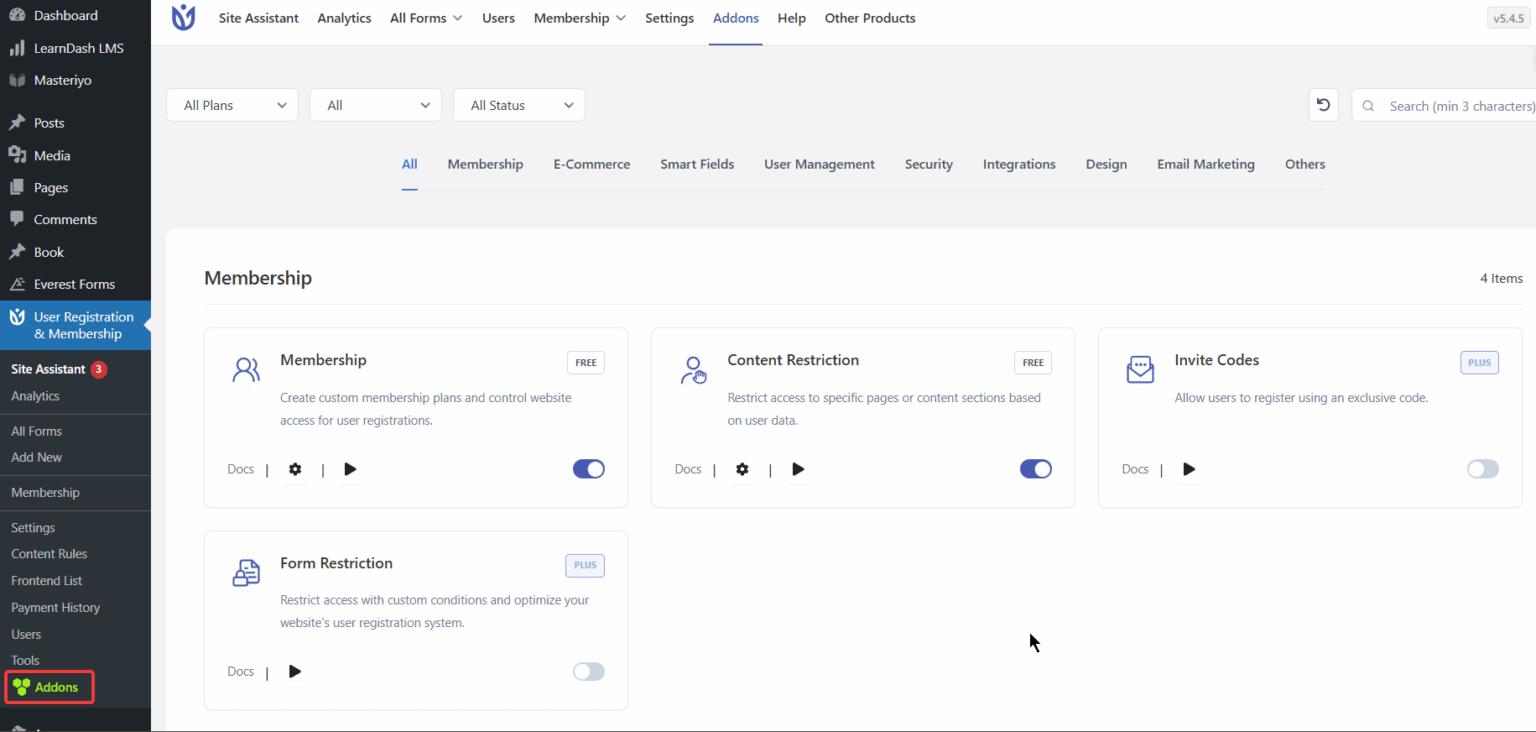
Browse the tabs and use the toggle to activate any module, feature, or addon included in your plan (e.g., Advanced Fields, WooCommerce Integration).
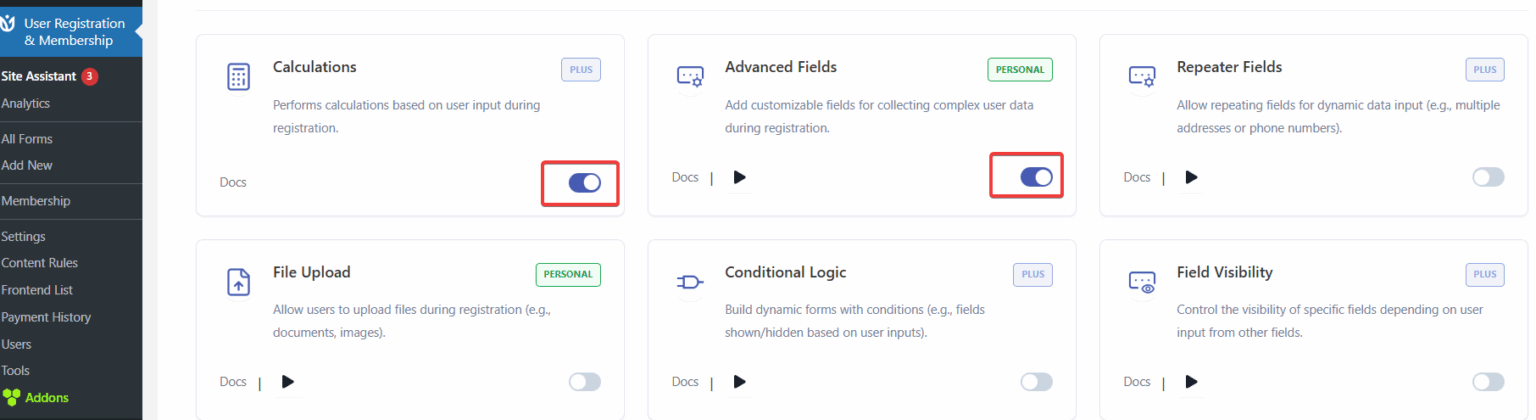
The feature is now ready to use on your site. To deactivate it, toggle it off again.
Method 2: Manual Upload
You can also download an addon from your WPEverest account and upload it like any other WordPress plugin:
Log in to your WPEverest account and go to Downloads.
Download the .zip file for the addon you need.
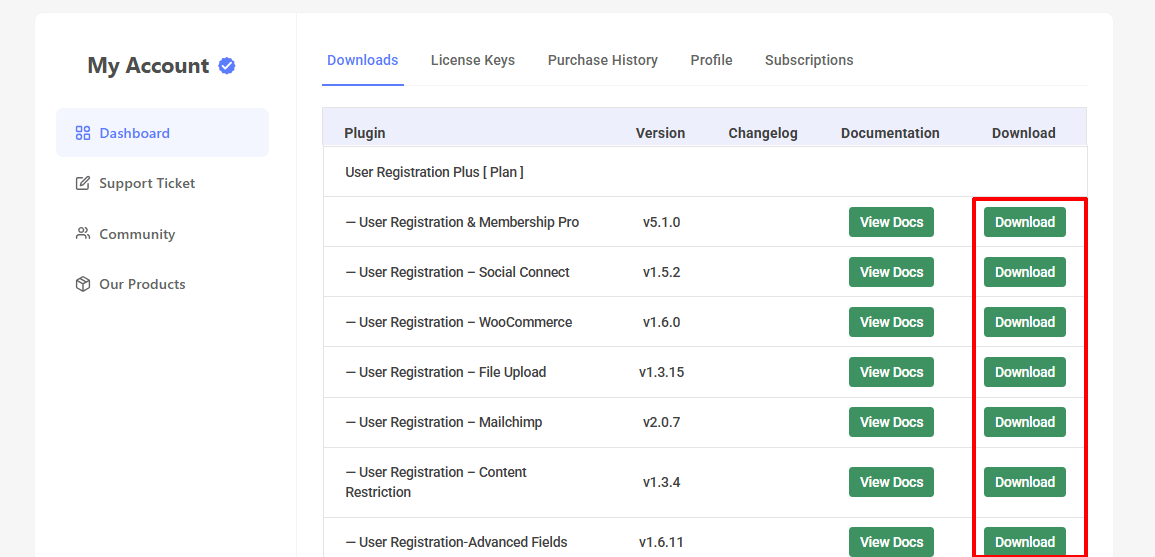
In WordPress, go to Plugins > Add New > Upload Plugin and upload the .zip file.
Once it's installed, click the Activate Plugin button.
Troubleshooting Tips
Can't find or activate an addon? Make sure your plan includes that feature. Contact support if the issue persists.
Addons page is missing or empty? Check that User Registration & Membership Pro is installed and your license is active under Settings > License.
Conflict errors? Temporarily deactivate other plugins to test compatibility.
Next Step
Each module and addon has its own documentation with setup instructions. Browse the docs sidebar to find the feature you just activated.