
Restrict WordPress Menu
Control access to WordPress navigation menu items based on user memberships and permissions while maintaining page-level restrictions.
Last updated on Jul 14, 2026
Would you like to control which users can access specific menu items on your WordPress site?
User Registration & Membership allows you to restrict navigation menu items based on membership plans or custom rules, while keeping the menu items visible to all visitors. This tutorial will show you how to set up menu restrictions using two different methods.
Prerequisites
Before getting started, make sure you've installed and activated the User Registration & Membership Pro plugin on your WordPress site. Then, make sure you've installed and activated the Content Restriction Module if you want to use advanced custom rules.
Method 1: Using a Membership Plan
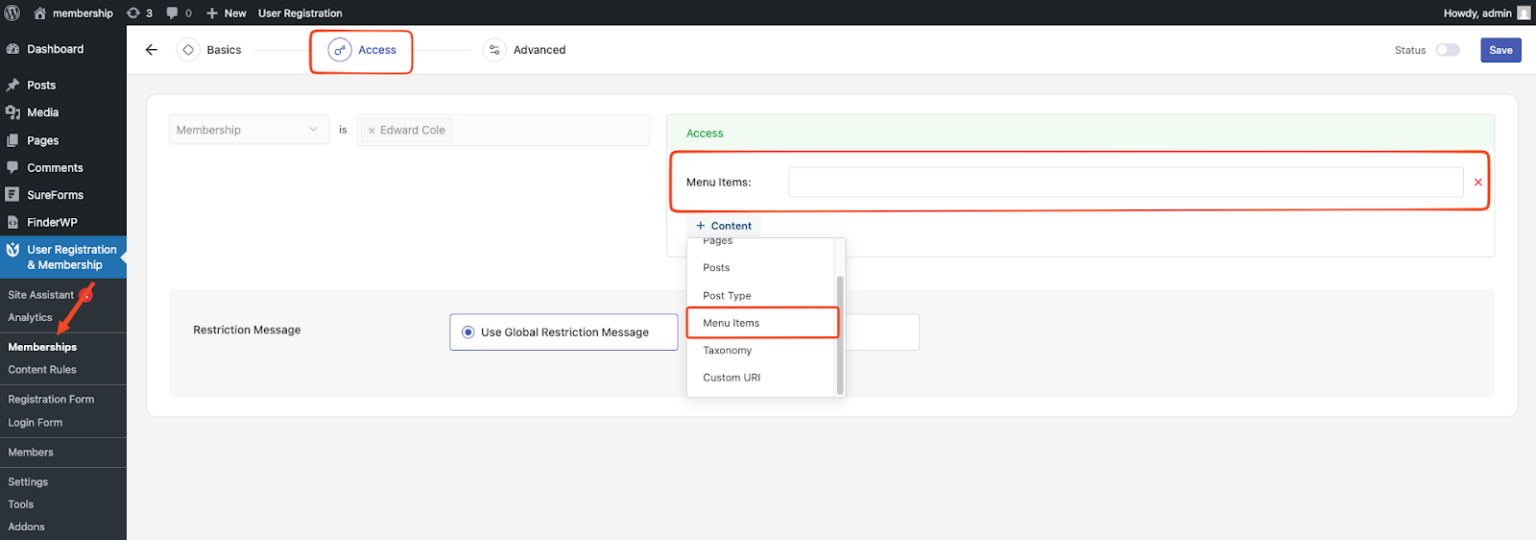
Go to Dashboard → User Registration & Membership → Memberships
Either edit an existing membership by clicking Edit, or create a new membership by clicking Add New
Go to the Access tab in the membership settings
In the rule editor, open the Content dropdown and select Menu Items
Choose the menu items you want to restrict
Method 2: Using the Content Restriction Module (Optional)
Enable the Content Restriction Module
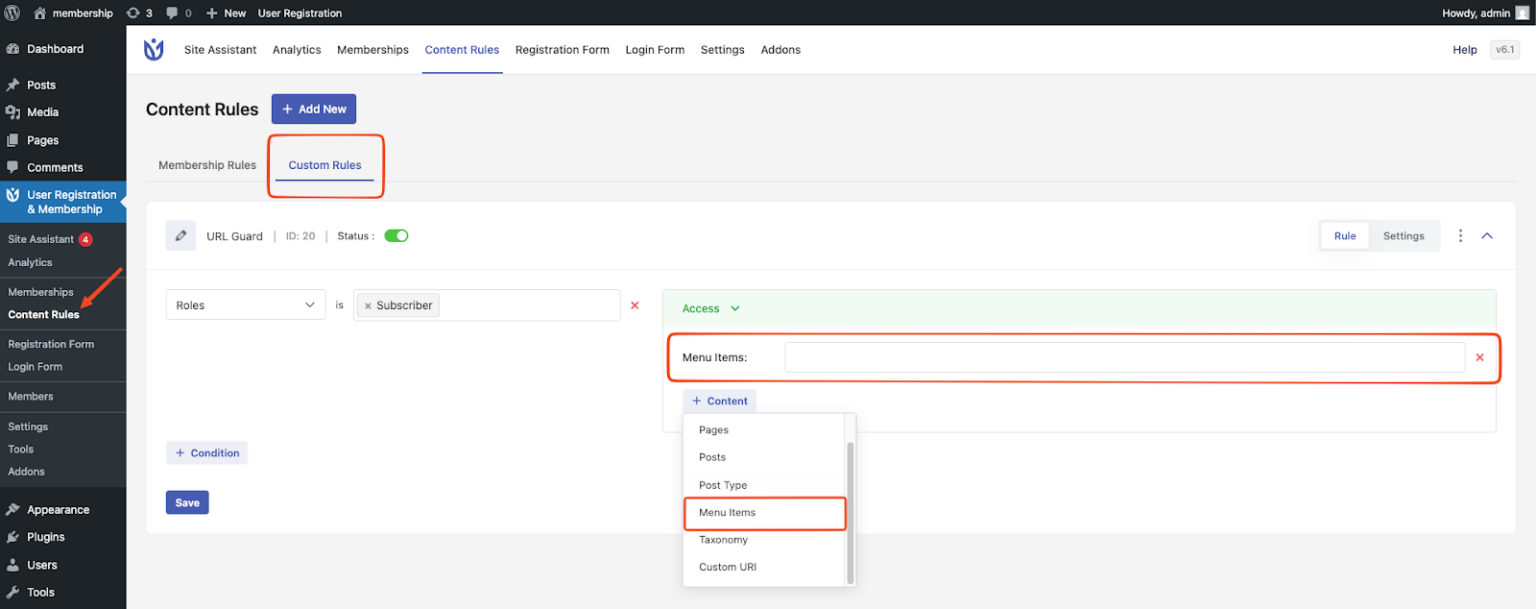
Go to Dashboard → User Registration & Membership → Content Rules
Open the Custom Rules tab
Either create a new rule or edit an existing rule
In the rule editor, open the Content dropdown and select Menu Items
Choose the menu items you want to restrict
How Menu Restriction Works
Restricted menu items remain visible in the navigation menu
Clicking a restricted menu item will show a popup message instead of opening the page
The page will still be restricted even if the user tries to access it directly via URL