
Using the Content Restriction Block
Control page visibility with block-level restrictions based on user login status, roles, and membership plans in WordPress Gutenberg.
Last updated on Jul 14, 2026
The Content Restriction Block allows you to control who can view specific parts of a page or post. You can allow or restrict visibility based on login status, user roles, and membership plans. This block works like any other Gutenberg block and gives you flexible, block-level content control.
When to Use This Block
Use the Content Restriction Block when you want to show or hide only a portion of your page content without applying site-wide restrictions.
Common use cases include:
Showing exclusive content to logged-in users
Hiding premium content unless a membership is active
Displaying role-specific instructions or messages
How to Add the Content Restriction Block
Go to your Page or Post Editor in WordPress
Click the "+" button at the top-left corner of the editor
Search for "Content Restriction" in the block list
Click to insert the block into your page or post
Place any blocks inside the Content Restriction Block
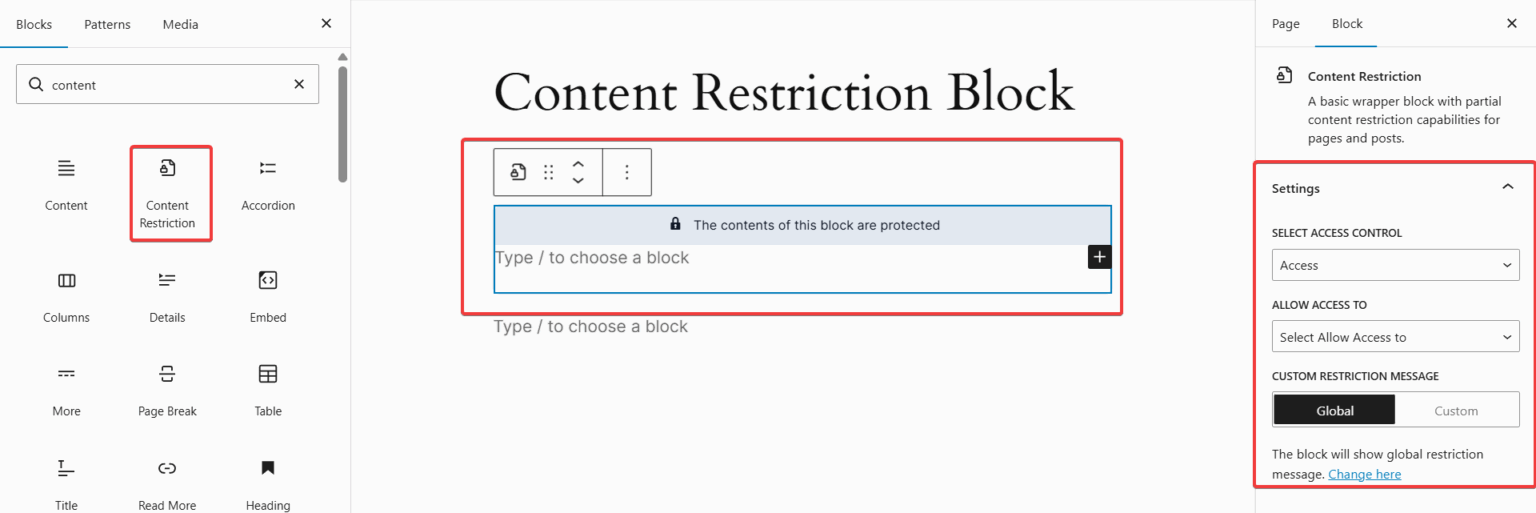
Everything inside this block will follow the restriction rules you configure.
Content Restriction Block Settings
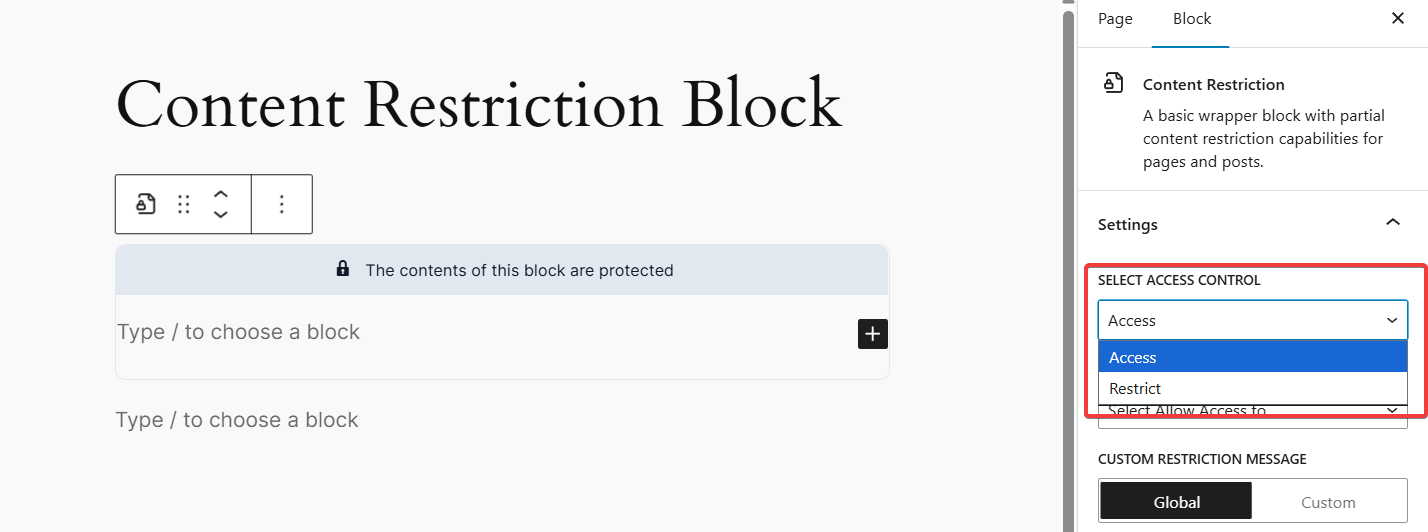
1. Select Access Control
You can choose between two modes:
Access – Define who can see the content
Restrict – Define who cannot see the content
2. Allow Access To / Restrict Access To
The dropdown options will depend on your Access Mode:
Allow Access To (when using the Access mode):
Choose specific users who are allowed to view the content
Restrict Access To (when using the Restrict mode):
Choose specific users who are restricted from viewing the content
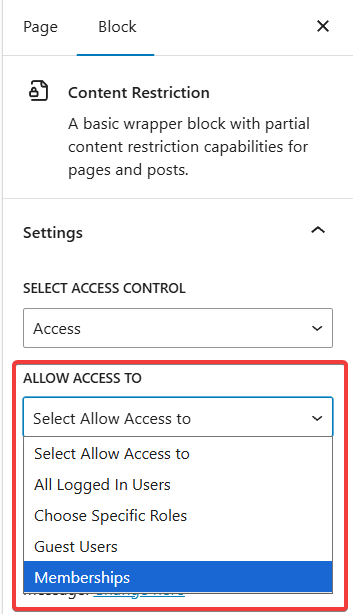
Both controls allow you to target:
Logged-in users
Logged-out users
User roles
Guest users
Membership plans
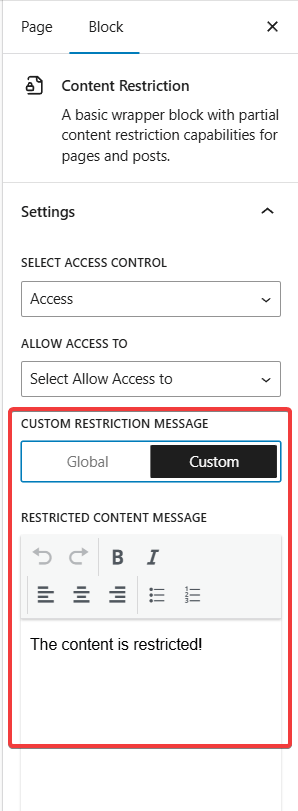
3. Custom Restriction Message
If a user does not meet the access criteria, the block will show a message.
You can choose between:
Global Message:
Uses your site-wide restriction message (recommended for consistency)
Custom Message:
Create a message specifically for this block
Useful for premium content, CTA upsell, or plan upgrade prompts
What Happens When Content is Restricted
When a user does not meet the access requirements:
The content inside the block is hidden from view
The restriction message is displayed instead
The rest of the page remains visible
When a user meets the access requirements, they see the content inside the block normally.