
Content Drip
ProControl when members access restricted content by releasing it gradually based on fixed dates or days after membership purchase, enabling structured delivery of lessons and resources.
Last updated on Jul 14, 2026
Want to release your membership content gradually instead of giving members immediate access to everything?
User Registration & Membership allows you to schedule when protected content becomes available after a user joins a membership. This tutorial will show you how to set up content drip to control exactly when members unlock your premium content.
This helps you deliver content in a structured way, such as releasing lessons, articles, or resources step by step for your members.
Before You Start
Before setting up Content Drip, make sure:
The User Registration & Membership Premium plugin is installed and activated
Content Restriction add-on is activated
Content Drip add-on is enabled
You have existing membership plans with membership rules configured
Content Drip will not work without User Registration & Membership Premium plugin and Content Restriction add-on.
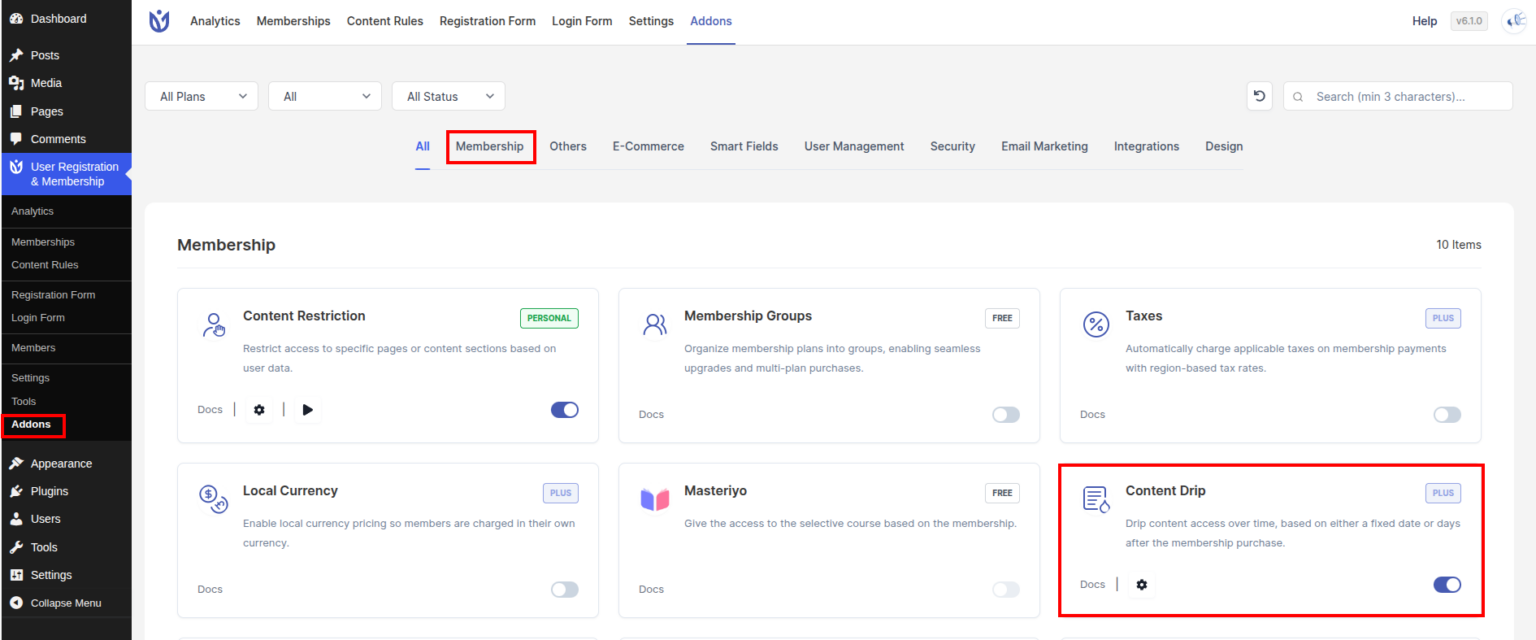
Activate the Content Drip Add-on
To activate the Content Drip add-on:
Go to User Registration & Membership → Addons in your WordPress dashboard
Find the Content Drip add-on
Toggle it ON to activate it
Accessing the Content Drip Settings
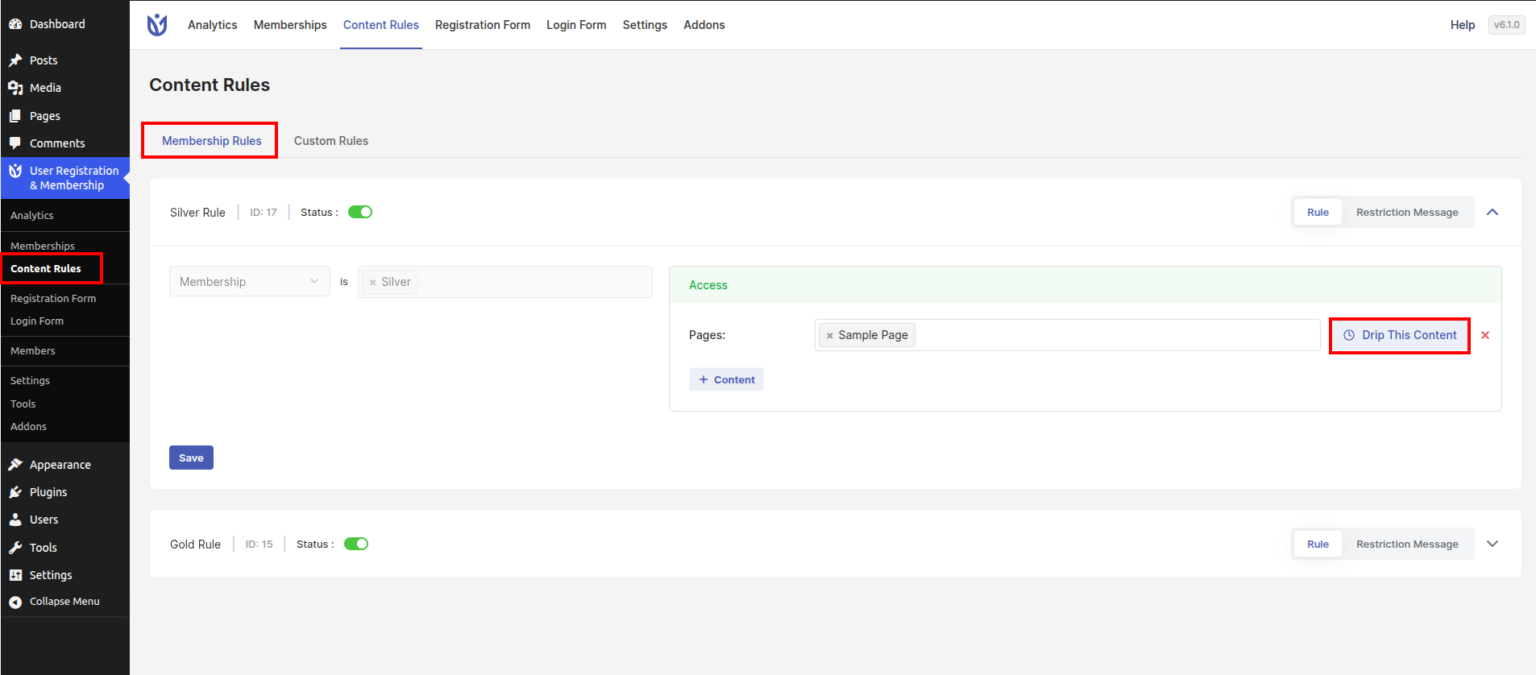
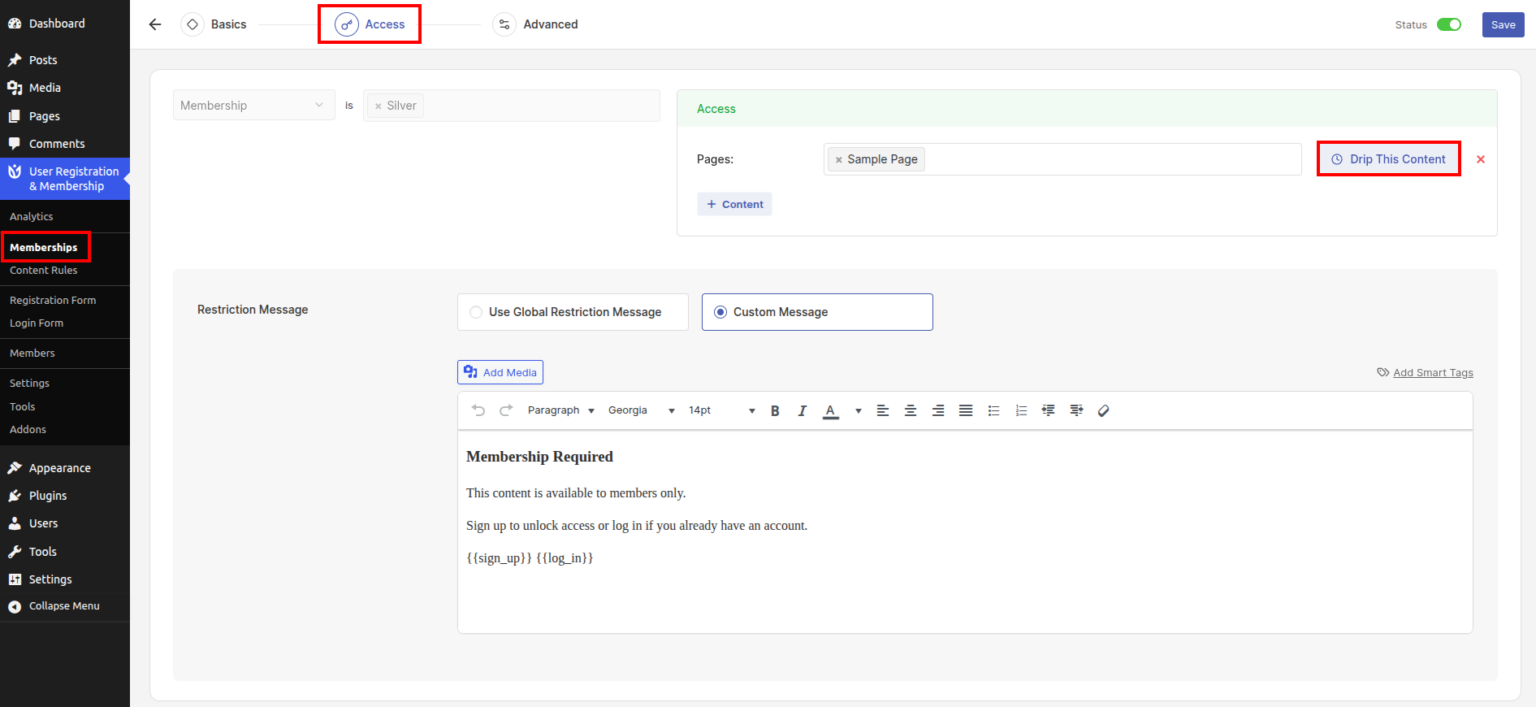
After enabling the add-on, you will see a new option called Drip This Content in the following places:
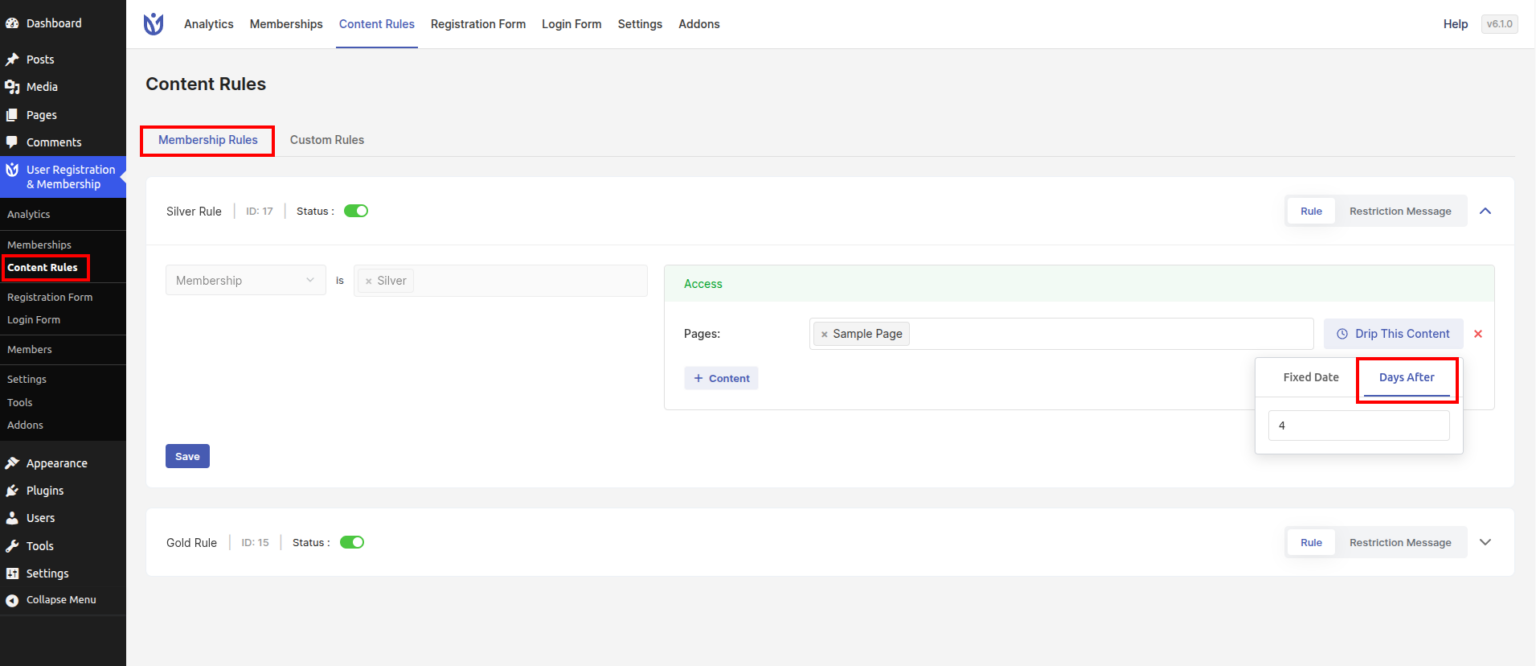
User Registration & Membership → Content Rules → Membership Rules, or
User Registration & Membership → Memberships → Edit a Membership → Access tab
Content Drip works only with membership rules.
Edit any membership rule under the selected membership, and you will see the Drip This Content button. Click this button to set the drip timing.
Content Drip Timing Options
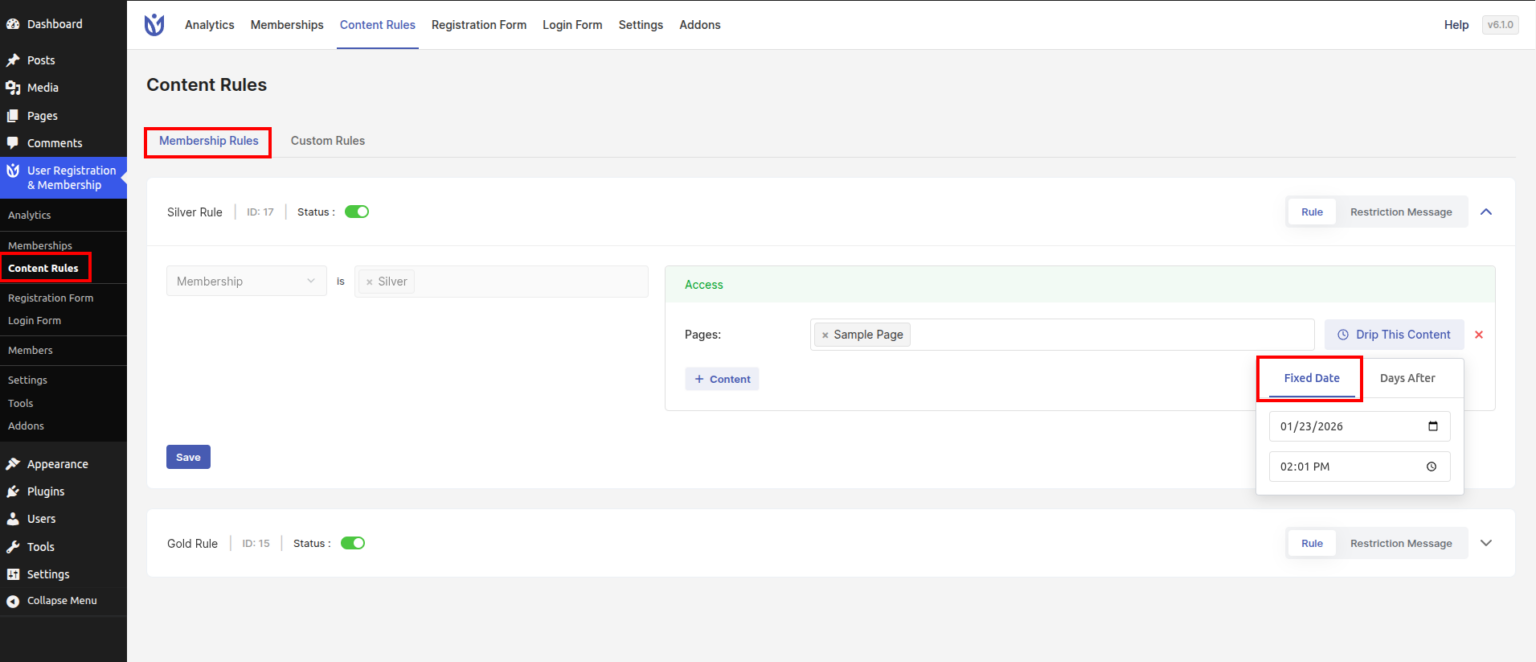
You will see two timing options:
Fixed Date
Days After
Only the selected option will be applied on the frontend.
Fixed Date
This option allows you to release content on a specific date and time.
Set the date and time
The content will become visible after the scheduled time
Example: You can release a lesson on January 10 at 10:00 AM.
Days After
This option allows you to release content after a certain number of days.
Enter the number of days
The system calculates the delay based on the membership purchase date
Example: If you set 5 days, the content will be available 5 days after the user buys the membership.
Show Message on Frontend
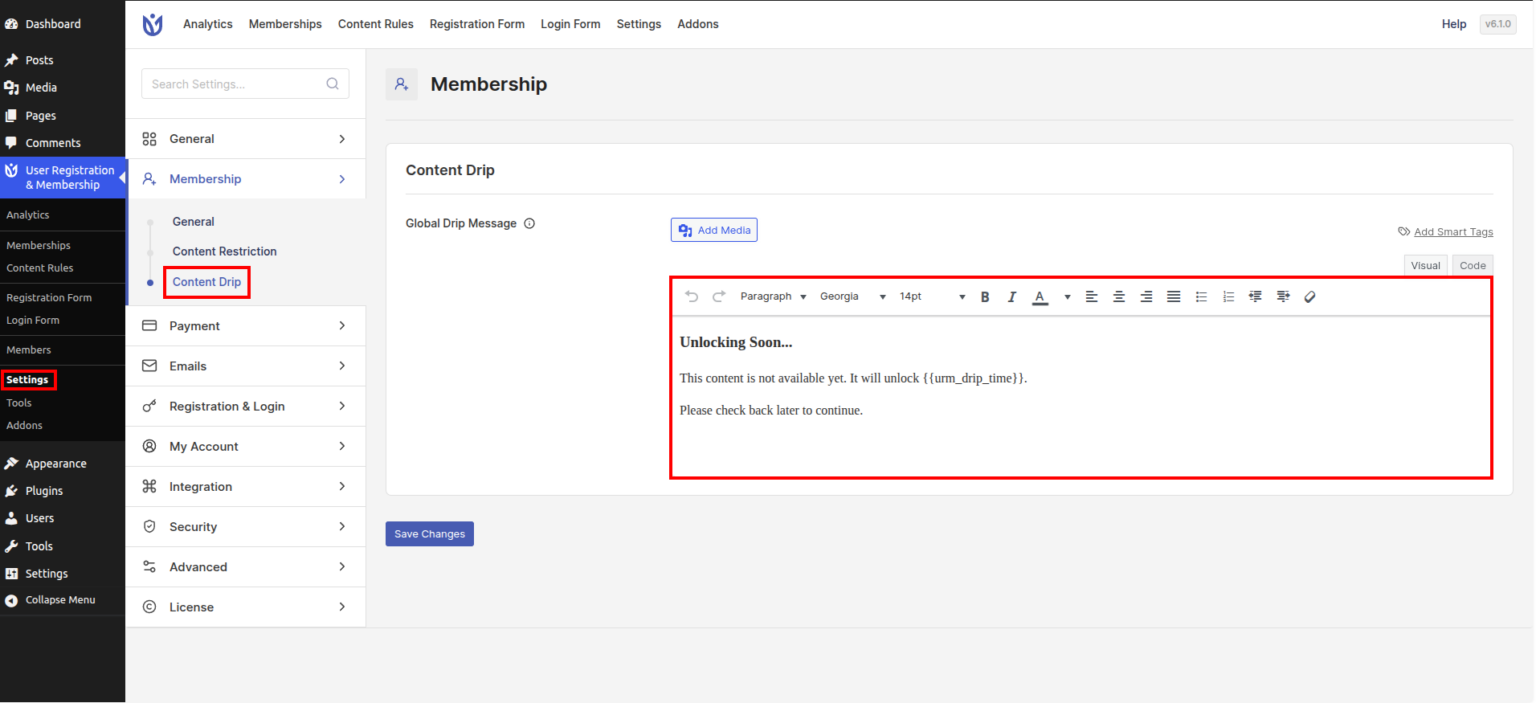
You can set a global message for restricted content here:
User Registration & Membership → Settings → Membership → Content Drip
You can customize the message shown to users when content is not yet available due to drip rules.
The smart tag {{urm_drip_time}} shows the remaining time until the content becomes available. This works for both Fixed Date and Days After options.
Notice (Coming Soon)
Content Drip will soon support more content types, including:
Files
Menu Items
Custom URLs
Masteriyo Courses